
Tada icon
Tada icon

Tada

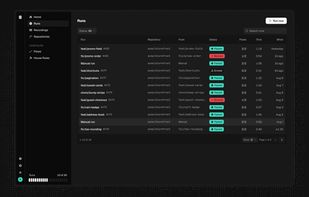
Automated QA assistant for AI-written code that runs repository-defined feature flows in a real browser on deploy or schedule. It posts pass or block checks to pull requests, shares no-login walkthroughs for passes, and captures the failure frame when a flow breaks.
Tada screenshot 1

Cost / License

  • Freemium (Subscription)
  • Proprietary

Platforms

  • Online
  • Software as a Service (SaaS)
0likes
0articles

Features

Tada News & Activities

Highlights All activities

Recent activities

Tada information

  • Licensing

    Proprietary and Freemium product.
  • Pricing

    Subscription ranging between $29 and $79 per month + free version with limited functionality.
  • Alternatives

    29 alternatives listed
  • Badge

    Get an embeddable badge for Tada
  • Supported Languages

    • English

AlternativeTo Category

Development
Tada was added to AlternativeTo by Modulab on and this page was last updated .
No comments or reviews, maybe you want to be first?

Official Links

What is Tada?

Tada is an automated QA assistant for AI-written code, built for founders, vibe coders, contractors and agencies.

Tada works through a feature in a real browser, the way a QA engineer would, and decides whether it worked. Every deploy of a connected repository starts a run by itself, and the verdict lands on the pull request as a check, so a broken feature fails it. Your flows live in the repo as files, and Tada reads them at the commit it checks. It can run on a schedule too: every day, twice a week, weekly or monthly, per environment.

Or just ask. Rivet, the assistant inside Tada, starts a run, explains what failed, and writes the checks with you, so someone who never opens a terminal can still get a verdict.

A pass comes with a walkthrough anyone can watch without logging in. A block comes with the frame where it broke.

Your coding agent can ask for a run too. The tada-mcp server gives Claude Code and other MCP clients a verify_feature tool.

Tada can check a feature before it is deployed anywhere. Point a flow at localhost while your app is running, and the hosted runner reaches it through a temporary tunnel.