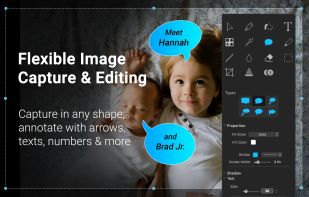
In SnapDraw Free, all the complicated annotation graphics such as Callouts and Magnifier Lens or nice looking effect such as 3D perspective and Reflections - are built-in tools.

Szoter is described as 'Is easy to use, free, online image annotation tool. It makes expressing Your ideas and thoughts easy. It can be used to share Your ideas with friends, highlight important parts of images or even to create readable bug reports' and is an website in the photos & graphics category. There are more than 50 alternatives to Szoter, not only websites but also apps for a variety of platforms, including Windows, Mac, Linux and Google Chrome apps. The best Szoter alternative is ShareX, which is both free and Open Source. Other great sites and apps similar to Szoter are Flameshot, Greenshot, PicPick and Snipping Tool.
In SnapDraw Free, all the complicated annotation graphics such as Callouts and Magnifier Lens or nice looking effect such as 3D perspective and Reflections - are built-in tools.

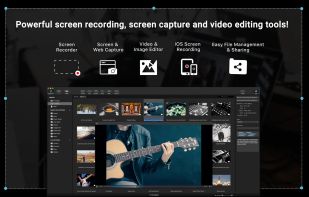
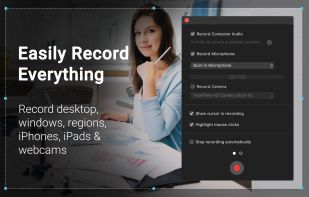
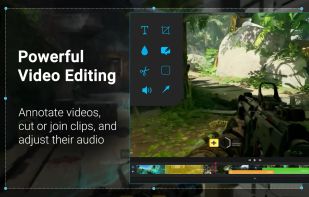
Capture HD video at 60 FPS, record iOS devices, and edit screen or image content with annotation, voiceover, and advanced file management. Includes fullscreen, selection, and web capture, quick sharing to cloud, FTP, YouTube, and fast search for Mac users.


Snip tool is a screen capture tool that lets you capture one or more selected areas on your desktop and save it with optional annotations.


Jet Screenshot is a freeware utility enabling you to share screenshot via the internet in seconds. It allows you to take a screen snap, edit it and send it to the Web, so that you can immediately provide anyone with a link to the image.


Viewport Sizer is a free tool for measuring viewport dimensions across any device. Simply visit the website to view your current viewport size. We've also compiled a list of all known modern devices, phones & tablets with all screen size specifications.


Originally intended for software developers, UX/UI designers and IT support desks, goScreenCapture is the perfect software utility for anyone who wants to create a document, build a slide presentation, check artwork, complete a project and work collaboratively.


Small and free screenshot app for Mac that offers custom area and resolution presets, and much more.


InstantShot! offers classical screenshot functionality for capturing the whole screen, a portion of it or a window and also the option to make timed screenshots or to make delayed captures over time. It offers a wide range of preferences and options to fit everyone's needs.
A macOS app for capturing, annotating and sharing screenshots. Quickly add comments, highlight what matters or blur any sensitive content. Upload screenshots to Google Drive or Dropbox. Copy screenshots to the clipboard and paste them directly into Slack, Skype, Jira, Trello and...