

Strata File Manager icon

Strata File Manager

Strata combines spatial Miller-column navigation with familiar Icons and List views, instant fuzzy filename search, rich previews, and native Linux desktop integration. It is designed for Omarchy and works on compatible GTK4 Linux environments.
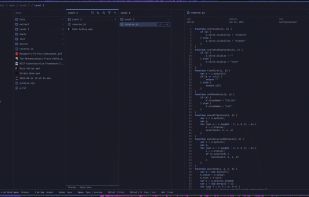
Strata File Manager screenshot 1

Cost / License

  • Free
  • Open Source (MIT)

Application type

Platforms

  • Linux
1like
0articles
Save

Features

Properties

Features

Highlights All activities

Strata File Manager News & Activities

Recent activities

Strata File Manager information

AlternativeTo Category

File Management

GitHub repository

  •  1,007 Stars
  •  85 Forks
  •  94 Open Issues
  •   Updated  
View on GitHub
Strata File Manager was added to AlternativeTo by Paul on and this page was last updated .

No comments or reviews, maybe you want to be first?

Official Links

What is Strata File Manager?

Strata combines spatial Miller-column navigation with familiar Icons and List views, instant fuzzy filename search, rich previews, and native Linux desktop integration. It is designed for Omarchy and works on compatible GTK4 Linux environments.

Features:

  • Three browser modes: navigable Columns, an Icons grid, and a sortable List table.
  • Keyboard-first control: directional-key movement, navigation history, location entry, pane filtering, fuzzy search, file operations, and quick previews. An optional footer and F1 shortcut reference help you learn each mode; the footer also shows clipboard status. See keyboard navigation and paste destinations. Optional 10xer mode hides window and pane chrome and uses Yazi-style keys.
  • Fast recursive search: press Ctrl+K to find files and directories by name or path while the tree is still being indexed. Global search covers Home and all mounted local drives, regardless of the current folder. Hover the search field to see the included locations. The dialog warns when results are incomplete; folder-scoped filtering/search remains separate. URI-native remote shares are not yet included.
  • Rich previews and thumbnails: native rendered Markdown and static HTML, plus bounded previews for text, source code, images, camera RAW, PDF, audio, and video, with native parser-backed formats isolated from the application. Audio opens in a now-playing view with artwork and a live spectrum; video gets technical badges, a keyframe storyboard while scrubbing, ambient light around the frame, silent autoplay that eases its sound in, and Enter hands the position to your default player. File Properties shows available media resolution, duration, bitrate, codecs, HDR, subtitle and chapter counts, and audio/video rates. RAW previews and Properties also show dimensions, camera, lens, focal length, shutter speed, ISO, and GPS coordinates, with N/A for unavailable values.
  • Shared storage properties: volumes and mounted storage entries in Devices use the same Properties dialog for name, device, filesystem, mount status, and available capacity/usage. Set label… saves a display label only in Strata; it never changes the filesystem label, mounts/unmounts a drive, or alters system configuration. Labels update the sidebar and Properties live and can be cleared to restore the normal device name. Formatting remains restricted to eligible removable drives; release actions follow the device's reported capabilities.
  • Responsive filesystem work: cancellable directory loading, bounded streaming, incremental monitoring, stable selection, and virtualized large directories.
  • Everyday file operations: create folders, rename, cut, copy, paste, trash, permanent delete, sorting, hidden files, pins, and history.
  • Remote locations: browse GIO/GVfs locations such as authenticated SMB shares and SFTP servers from the location field, with explicit host-key decisions.