



Stork
Your team's workspace that records & transcribes meetings automatically. Stork is a voice and video messenger with a powerful screen recording for asynchronous presentations. Fewer meetings & no missed meetings. PLAY IT BACK IN STORK.

Cost / License
- Free
- Proprietary
Application types
Platforms
- Mac
- Windows
- Android
- iPhone
- Software as a Service (SaaS)

Features
Properties
- Lightweight
Features
- Full-Text Search
- Ad-free
- Desktop Sharing
- Dark Mode
- Real time collaboration
- Multiple Account support
- Screen Sharing
- Cloud Sync
- Voice Chat
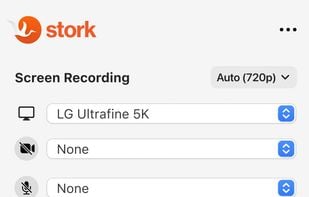
- Screen Recording
- Team Collaboration
- Capture Video
- Text chat
- Voice messages
- Multi Channel
Tags
- saas-for-business
- collaboration-software
Stork News & Activities
Recent News
Recent activities
 moughxyz added Stork as alternative to Shape Teams
 Maoholguin added Stork as alternative to Element Pro
 TwakeWorkplace added Stork as alternative to Twake Chat
 POX added Stork as alternative to Quiet Chat




Stork information
Developed by
 Stork Tech, Inc.
 Licensing
Proprietary and Free product.Alternatives
36 alternatives listedSupported Languages
- English
AlternativeTo Categories
Social & Communications, Video & Movies, Remote Work & Education, Office & Productivity, OS & UtilitiesApple AppStore
- Updated
- 4.6 avg rating



What is Stork?
Time machine for meetings:
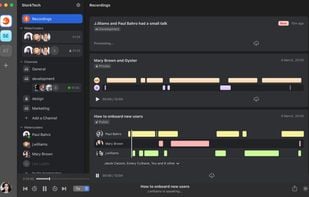
See and hear team conversing in real time or play back the recording later. Join a live meeting or read the transcription later. All conversations and meetings are recorded automatically.
Play it back in Stork:
You have access to all media records where you participated personally as well as all media records that were part of a public conversation (within your team) and you don't need to be a host nor an admin to have access.
Watercoolers:
When two or more people are talking publicly in Stork - any other team member can join the conversation Clubhouse style creating serendipitous experience and encouraging spontaneous conversations.
Channels:
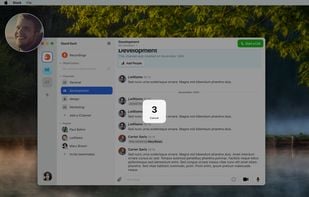
Channels can be setup for any topic or department. Channels are dedicated spaces within a team where the actual work gets done. In addition to text conversations, one can participate in voice and video calls within a channel.
Share video, voice, and screen recordings directly in Stork:
Our mission is to make it easy and fun for teams to engage in collaboration which is essential to remote and hybrid work's long-term success. We're building for distributed startups who want to accomplish every day communications with fewer but more efficient meetings that carry greater transparency and shared learnings.


Comments and Reviews
It's Loom, Slack and Zoom all in one.