
SkipBait icon
SkipBait icon

SkipBait

Summarize & Chat with YouTube videos with AI. Save hours on long podcasts, interviews, lectures and more. Get timestamped summaries, actionables, transcripts, and chat in seconds.
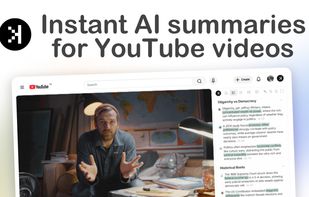
Get summaries in seconds and navigate to any timestamp instantly

Cost / License

  • Freemium (Subscription)
  • Proprietary

Platforms

  • Google Chrome
0likes
0comments
0articles

Features

  1.  Youtube Transcription
  2.  Video Summarize
  3.  AI Summarization
  4.  AI-Powered

SkipBait News & Activities

Highlights All activities

Recent activities

SkipBait information

  • Licensing

    Proprietary and Freemium product.
  • Pricing

    Subscription ranging between $10 and $14 per month + free version with limited functionality.
  • Alternatives

    10 alternatives listed
  • Supported Languages

    • English

AlternativeTo Category

AI Tools & Services

Popular alternatives

View all
SkipBait was added to AlternativeTo by nicolaanthony on and this page was last updated .
No comments or reviews, maybe you want to be first?

What is SkipBait?

Summarize YouTube videos in seconds - Ask follow-up questions and let AI Google the answers for you while you stay on YouTube.

Key Features:

  • Honest Title + TL;DR — Know what to video is actually about in a glance
  • Timestamped Outline — Sectioned breakdown with timestamp navigation
  • Actionable To-Dos — Practical insights from long-form podcast in a easy-to-scan list.
  • AI Chat + Web Search — Ask follow-up questions beyond the scope of the transcript context. SkipBait's Chat searches the web to find you answers. (Supports 50+ languages)
  • Transcripts — Get searchable transcript with auto scroll.
  • Focus Mode — Optionally hide Shorts, Ads on inline feeds only, to enhance intentional content consumption.
  • Export — Save or share easily.

SkipBait is the ultimate YouTube tool that generates AI summaries, timestamped outlines & actionable to-dos from any videos. Summaries are available in major languages. Use the web-search powered AI chat to Chat with YouTube videos or turn on focus mode to ultra boost your productivity.

Official Links