





Sidenote - AI Reading Assistant
Like
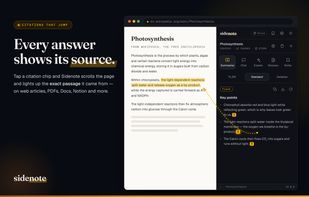
Summarises, explains, and chats with any document in your browser — every answer cited to the exact source passage, which it scrolls to and highlights on the page.

Cost / License
- Freemium (Subscription)
- Proprietary
Application type
Platforms
- Google Chrome
- Mozilla Firefox


Features


Highlights All activities
Sidenote - AI Reading Assistant News & Activities
Recent activities
 onhand added Sidenote - AI Reading Assistant as alternative to Onhand
 AGSamuel added Sidenote - AI Reading Assistant as alternative to Studily
 lewishadden added Sidenote - AI Reading Assistant as alternative to Bard PDF, NoteGPT and Documind AI - Chat with PDF
 clb added Sidenote - AI Reading Assistant as alternative to docAnalyzer
 lewishadden added Sidenote - AI Reading Assistant as alternative to ClearAI
 lewishadden added Sidenote - AI Reading Assistant as alternative to PDF Summarizer AI
 lewishadden added Sidenote - AI Reading Assistant as alternative to Gemini Notebook, Sider.ai, ChatPDF, ChatGPT and 17 more
- lewishadden added Sidenote - AI Reading Assistant
- Paul updated Sidenote - AI Reading Assistant
- lewishadden added Sidenote - AI Reading Assistant as alternative to Gemini Notebook, Sider.ai, ChatPDF, ChatGPT and 17 more


Developed by
 Lewis Hadden
 Licensing
Proprietary and Freemium product.Pricing
Subscription ranging between $13 and $133 per month + free version with limited functionality.Alternatives
34 alternatives listedBadge
Get an embeddable badge for Sidenote - AI Reading AssistantSupported Languages


No comments or reviews, maybe you want to be first?