
ShuttleSCP icon
ShuttleSCP icon

ShuttleSCP

 Like

A graphical SFTP, SCP and FTP/FTPS client for Linux, macOS and Windows, inspired by WinSCP. Two panes, drag and drop, resumable transfers. Rust and GTK 4.
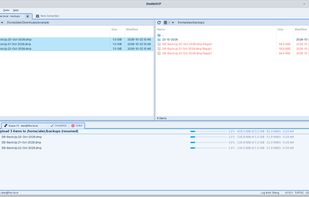
ShuttleSCP screenshot 1

Cost / License

Platforms

  • Windows  On Windows, the first time you run the installer: if Windows says "Windows protected your PC", click "More info", then "Run anyway".
  • Mac  On a Mac, the first time you open it: right-click (or Control-click) ShuttleSCP in Applications, choose Open, then Open again.
  • Linux
0likes
0articles
Save

Features

No features, maybe you want to suggest one?

Highlights All activities

ShuttleSCP News & Activities

Recent activities

ShuttleSCP information

GitHub repository

  •  1 Stars
  •  0 Forks
  •  0 Open Issues
  •   Updated  
View on GitHub
ShuttleSCP was added to AlternativeTo by dsalvado on and this page was last updated .

No comments or reviews, maybe you want to be first?

Official Links

What is ShuttleSCP?

ShuttleSCP is a free, open-source file-transfer client in the style of WinSCP: your computer's files on the left, the server's on the right, and copying between them is a drag, a right-click or a key press away.

It supports SFTP and SCP over SSH (password, key files including PuTTY .ppk, ssh-agent and Pageant) and FTP with plain, explicit or implicit TLS. Several connections can be open at once, each in its own coloured tab. Transfers run side by side, resume after a dropped connection or a restart, and can be paused or stopped file by file. Saved passwords are kept in the system keyring (GNOME Keyring, macOS Keychain, Windows Credential Manager), never in plain files. The app updates itself from a signed release manifest.

Written in Rust with GTK 4. Licensed under GPL-3.0. Currently in public beta.