
Shotlite icon
Shotlite icon

Shotlite

 Like

Screenshots, markup and screen recording for Linux (GNOME & KDE, Wayland & X11), inspired by Shottr. Beta.
Shotlite screenshot 1

Cost / License

  • Free
  • Open Source (MIT)

Since

  • New

Platforms

  • Linux
Shotlite screenshot 2
Shotlite screenshot 3
+1
Shotlite screenshot 4
Alternatives
0likes
0alternatives
0articles
Save

Features

Features

Highlights All activities

Shotlite News & Activities

Recent activities

  • Kumar-Gaurav-Singh added Shotlite

Shotlite information

AlternativeTo Category

Photos & Graphics

GitHub repository

  •  0 Stars
  •  0 Forks
  •  0 Open Issues
  •   Updated  
View on GitHub
Shotlite was added to AlternativeTo by Kumar-Gaurav-Singh on and this page was last updated .

No comments or reviews, maybe you want to be first?

What is Shotlite?

First public beta of ShotLite: a Shottr-style screenshot and screen-recording tool for Linux.

Highlights

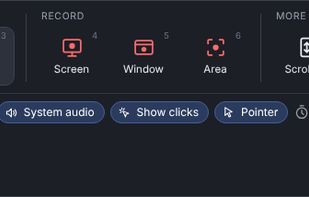
  • One shortcut opens a Mac-style capture bar: screen, window or area screenshots; screen, window or area recording; scrolling capture; copy text (OCR).
  • Recording with system audio, microphone and mouse-click rings (GNOME and KDE).
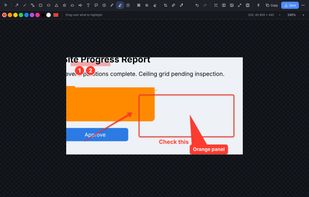
  • Editor: arrows with any ends (double, dimension, tick, dot), shapes (rectangle with corner radius, ellipse, triangle, star, revision cloud, block arrows) as outline, filled or outline + fill colour.
  • Rotate, skew and distort shapes and images; flowchart connectors that stay attached to shapes.
  • Text, pointy notes, step numbers, pen, highlighter, spotlight, pixelate and blur with adjustable strength, remove objects.
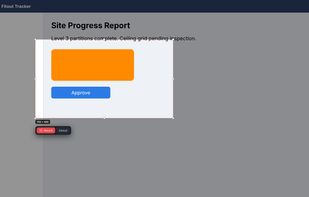
  • Crop, resize, combine screenshots, gradient backgrounds, screen ruler, colour picker, pixel zoom, OCR and QR, pin to screen.

Install (Bazzite, Fedora, any distro)

tar xzf shotlite-1.1.2-linux.tar.gz cd shotlite-1.1.2 ./install.sh

Debian / Ubuntu / Mint: sudo apt install ./shotlite_1.1.2_all.deb

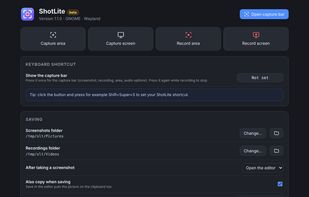
Then open ShotLite from the app menu and set your keyboard shortcut. GNOME: click "Set up click display" once, then sign out and back in.