


Secure Folder: Privacy Vault
Like
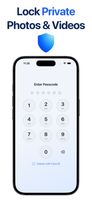
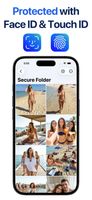
A private photo, video and file vault for iPhone with PIN, Face ID, a decoy vault, Break-in Alerts and a calculator lock screen. Nothing is uploaded.
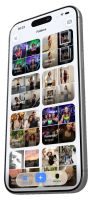


+2

Cost / License
- Freemium (Pay once or Subscription)
- Proprietary
Since
- Since 2026
Updated
- Updated Jul 2026

Features
Highlights All activities
Secure Folder: Privacy Vault News & Activities
Recent activities
- Mehmet Ali Kisacik updated Secure Folder: Privacy Vault
 Mehmet Ali Kisacik added Secure Folder: Privacy Vault as alternative to Hide it pro, Photo Vault, Best Secret Folder and Folder Lock
- Mehmet Ali Kisacik updated Secure Folder: Privacy Vault
 Alex Johnson added Secure Folder: Privacy Vault as alternative to Stash Photo Vault
 nullvaultapp added Secure Folder: Privacy Vault as alternative to NullVault: Secret Photo Vault
 Matoxasdf added Secure Folder: Privacy Vault as alternative to Sealby
 andrew- added Secure Folder: Privacy Vault as alternative to Obscura Photo Vault
 arkwarden added Secure Folder: Privacy Vault as alternative to ArkWarden
 Mauricio B. Holguin added Secure Folder: Privacy Vault as alternative to LockPic: Hidden Photo Vault, Stingle Photos, Photok, 1LimX and 27 more
- Mehmet Ali Kisacik added Secure Folder: Privacy Vault


Developed by
Mehmet Ali KisacikLicensing
Proprietary and Freemium product.Pricing
One time purchase and / or subscription + free version with limited functionality.Alternatives
39 alternatives listedBadge
Get an embeddable badge for Secure Folder: Privacy VaultSupported Languages


No comments or reviews, maybe you want to be first?