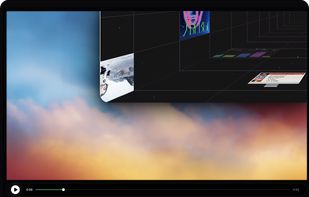
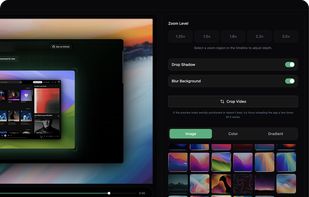
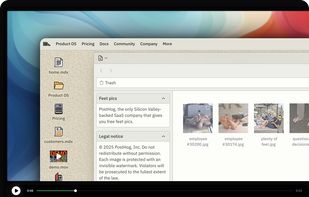
Open-source, no-cost screen recorder with no watermarks, supporting entire screen or app capture, manual zoom, smooth pan, custom backgrounds, cropping, motion blur, and direct use in browser for product demos, tutorials, and commercial purposes.


ScreenToGif is not available for Mac but there are plenty of alternatives that runs on macOS with similar functionality. The best Mac alternative is OpenScreen, which is both free and Open Source. If that doesn't suit you, our users have ranked more than 25 alternatives to ScreenToGif and 15 are available for Mac so hopefully you can find a suitable replacement. Other interesting Mac alternatives to ScreenToGif are LICEcap, Kap, ishare and GIPHY Capture.
Open-source, no-cost screen recorder with no watermarks, supporting entire screen or app capture, manual zoom, smooth pan, custom backgrounds, cropping, motion blur, and direct use in browser for product demos, tutorials, and commercial purposes.


LICEcap can capture an area of your desktop and save it directly to .GIF (for viewing in web browsers, etc) or .LCF (see below). LICEcap is an intuitive but flexible application (for Windows and now OSX), that is designed to be lightweight and function with high performance.

Kap is an open-source screen recorder built with Electron and designed to be easy to use but extensible.

The definitive screen capture utility for macOS, designed with simplicity and efficiency in mind.

GIPHY Capture is the best way to create GIFs on your Mac. The free app is simple, powerful, and easy enough for pretty much anyone.


Gifox is a beautifully designed and masterfully crafted app that records your screen into animated gifs – the great alternative between static images and full-size videos. It's your best companion for:


Peek is a simple screen recorder that allows you to record your screen as gif or mp4, capture a screenshot as jpg, and annotate your recordings with drawing, text, arrows, and highlights.


Gyazo lets you instantly grab the screen and upload the image to the web. You can easily share on Chat, Social, Email, or anywhere!


Gif Machine is a powerful and simple app which helps you to create awesome GIFs by recording your screen, recording your webcam or just from images.


A macOS app for capturing, annotating and sharing screenshots. Quickly add comments, highlight what matters or blur any sensitive content. Upload screenshots to Google Drive or Dropbox. Copy screenshots to the clipboard and paste them directly into Slack, Skype, Jira, Trello and...
Gif·gIf·giF (ggg) is a small shareware program for producing GIF animations from screen captures. It is especially useful for producing animated software demonstrations or tutorials. GIF animations produced with Gif·gIf·giF are automatically displayed by web...