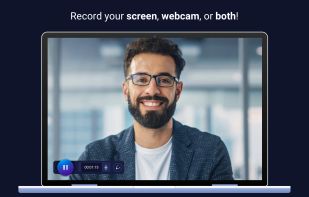
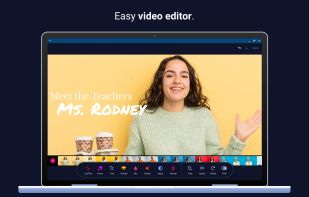
Free screen recorder with face cam and audio + video editor – unlimited recording time, ad-free and no watermarks!
Cost / License
- Freemium
- Proprietary
Application types
Platforms
- Mac
- Windows
- Android
- iPhone
- Chrome OS
- iPad



ScreenRec is described as 'If you spend too much time on email and chat, try sending instant video messages and screenshots with ScreenRec. You'll get your point across faster and save precious hours' and is a popular screenshot capture tool in the photos & graphics category. There are more than 100 alternatives to ScreenRec for a variety of platforms, including Windows, Mac, Linux, Web-based and Google Chrome apps. The best ScreenRec alternative is OBS Studio, which is both free and Open Source. Other great apps like ScreenRec are ShareX, Flameshot, OpenScreen and SimpleScreenRecorder.
Free screen recorder with face cam and audio + video editor – unlimited recording time, ad-free and no watermarks!


Website offers online and desktop screen recorder for computer for capturing video with audio and webcam.
TinyTake is a free screen capture software for Microsoft Windows. With TinyTake, you can capture images and videos of your computer screen, add comments and share them with others in minutes. TinyTake is built by MangoApps and is available for free.


Free Cam is free screen recording software for Windows that lets you easily capture all or part of your screen, record your voice & mouse clicks, then edit your video and save it to your computer or share it instantly on YouTube.


Built with five screen recording modes, RecMaster will offer you an easies and most efficient way to record your computer screen. Just one click from RecMaster, enjoy every moment and details from your computer screen.


VSDC Free Screen Recorder is an easy-to-use lightweight screen recorder software that lets you capture your PC screen and save it in the MP4 format. It lets you capture the entire desktop screen, a selected area or even a videogame window of any resolution.


Screen Recorder for Mac is a powerful tool that allows you to quickly and easily capture your computer screen in high-quality video format. With just one click, you can record the full screen, a designated area, or footage from your camera.


Engaging video meetings where you can present, inform, or entertain over video - appearing on screen with your presentation. Compatible with various systems like Zoom, Google Meet, Microsoft Teams, and Webex. Better meetings are within everyone’s reach.


The Fenêtre Capture Tool for making professional screenshots and screen recordings. With advanced functions and abilities that other free capture tools don't offer.


Screenflick features high performance screen capturing for smooth, fluid motion up to 60 fps. Screenflick can record any portion of the screen, simultaneously recording audio from internal or external microphones and the system audio.


Demo Builder is a powerful Flash-based screencasting tool that allows you to create eye-catching and professionally-looking interactive presentations that do not require any programming skills.