





screenpipe
24 likes
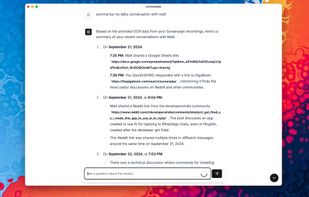
Records screen and audio activity locally, indexing extracted text and transcripts into searchable history. A local API and MCP server let AI tools query past work, while exclusions, deletion controls, PII redaction, local models, and scheduled pipes support workflows.

Cost / License
- Freemium (Subscription)
- Source Available
Platforms
- Mac
- Windows
- Linux
- Self-Hosted


Features

Highlights All activities
screenpipe News & Activities
Recent News
No news, maybe you know any news worth sharing?
Share a News Tip
Recent activities
 RLhusky added screenpipe as alternative to DayDream by Nicholas Fong
- Fla updated screenpipe
- Federico Prescianotto liked screenpipe
- Fla updated screenpipe
- Fla updated screenpipe
 Danilo Venom added screenpipe as alternative to Flashback Screen History
- louis030195 updated screenpipe
 Danilo Venom added screenpipe as alternative to Dayflow
- chirag127 liked screenpipe
- Danilo Venom updated screenpipe


Developed by
 Mediar, Inc.
 Licensing
Source Available and Freemium product.Pricing
Subscription ranging between $20 and $25 per month + free version with limited functionality.Written in
Alternatives
20 alternatives listedBadge
Get an embeddable badge for screenpipeSupported Languages

AlternativeTo Categories
AI Tools & Services, File Management, Audio & Music, Video & MoviesGitHub repository
- 21,919 Stars
- 2,242 Forks
- 30 Open Issues
- Updated


No comments or reviews, maybe you want to be first?