


Microsoft ScanDisk
2 likes
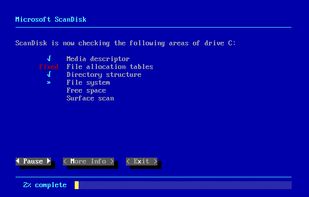
ScanDisk is a utility in MS-DOS and Microsoft Windows systems which checks and repairs file systems and bad clusters on the hard drive. It was introduced in MS-DOS version 6.2. Previous versions of MS-DOS supplied only the simpler, purely text-based program .

Platforms
- Windows


Discontinued
Replaced by  chkdsk

Features
Highlights All activities
Microsoft ScanDisk News & Activities
Recent activities
No activities found.
Developed by
 Microsoft
 Licensing
Proprietary and Free product.Alternatives
5 alternatives listedBadge
Get an embeddable badge for Microsoft ScanDiskSupported Languages


Windows system utils
File Manager
Android Emulator
Automation
Clipboard replacement
Desktop icon organizer
Hardware monitoring
Multiple monitors / screen splitting
Tasks management / Scheduling
USB
Waking up / Sleeping
Windows utils
My favorite proprietary, open source and freeware tools.
Official Links
There are no links for this app, or they've been disabled.
Comments and Reviews
Link to site doesn't work.