
SCADA Desktop
Offline Windows SCADA and HMI software with dashboards, alarms and a built-in historian, licensed one-time instead of per tag.
Cost / License
- Paid
- Proprietary
Platforms
- Windows
Features
- Modbus
SCADA Desktop News & Activities
Recent activities
- srm1111989 added SCADA Desktop
- controlbird added SCADA Desktop as alternative to ControlBird
srm1111989 added SCADA Desktop as alternative to ThingsBoard and Cloud Studio IoT
SCADA Desktop information
What is SCADA Desktop?
SCADA Desktop is a Windows SCADA/HMI application for engineers who want local dashboards, alarms and historian logging without cloud lock-in or per-tag licensing.
It connects directly to PLCs, energy meters, VFDs and sensors over Modbus TCP and Modbus RTU (RS-485/RS-232), with poll intervals from 100 ms. Additional drivers cover Siemens S7, Mitsubishi MELSEC, Omron, EtherNet/IP, BACnet, OPC UA and MQTT.
What it includes:
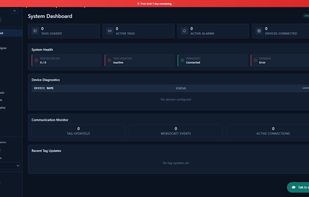
- Drag-and-drop HMI dashboards - gauges, numeric displays, trend charts, status indicators and multi-state lamps/valves/motors placed on a canvas, no coding required.
- Real-time trend charts with cursors, multiple pens, zoom to any time window and CSV export.
- Alarm management with high/low/equals thresholds per tag, timestamped logging, acknowledge and shelve, plus email notification over SMTP.
- A built-in historian storing every tag reading in a local SQLite database, so plant data never leaves the machine.
- Fully offline operation: polling, dashboards, alarms and historian all work with zero internet, including on air-gapped networks.
Licensing is one-time from $199 rather than a subscription or a per-tag count, which is the main practical difference from Ignition, AVEVA and Wonderware for small plants and single engineering stations. A free trial is available with no registration or credit card.
Runs on Windows 10 and 11 (64-bit). A separate browser-based product, SCADA Cloud, covers multi-site and remote-access use cases from $29/month.


