


S3 Browser
9 likes
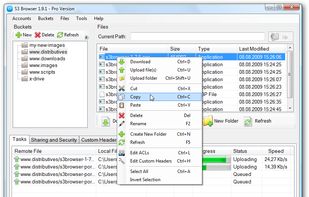
S3 Browser - Windows Client for Amazon S3. User Interface for Amazon S3. Allows you to manage your Amazon S3 Buckets and files with ease!

Cost / License
- Freemium
- Proprietary
Platforms
- Windows


Features

Highlights All activities
S3 Browser News & Activities
Recent News
No news, maybe you know any news worth sharing?
Share a News Tip
Recent activities
 asp8 added S3 Browser as alternative to Owlfiles
 Andrei Filimon added S3 Browser as alternative to MTF Explorer
 axpnet added S3 Browser as alternative to AeroFTP
 Nubbo added S3 Browser as alternative to Nubbo
 Paul added S3 Browser as alternative to Crabdrop


Developed by
 Ivan Moiseev
 Licensing
Proprietary and Freemium product.Pricing
free version with limited functionality.Alternatives
13 alternatives listedBadge
Get an embeddable badge for S3 BrowserSupported Languages


Comments and Reviews
The best S3 Browser. To those people advising to use Cyberduck (because it's free) instead - I would agree if you don't use S3 services (Amazon, Wasabi, BackBlaze) on a regular basis. Cyberduck is slow (uploads, downloads), has problems with versioning (I was unable to delete versions that got in a weird state - was able to with S3 Browser), has an unintuitive "bookmark" interface, has nag dialogs, etc.