Encrypt files and photos locally using AES-256, with no ads.
File Encryption and Decryption with AES-256-GCM
An app designed to protect your files through strong encryption, featuring open-source code and additional security and privacy tools.
🔐 ALGORITHM
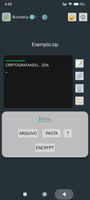
• AES-256-GCM + Argon2id:
Authenticated encryption with a key derivation function resistant to brute-force attacks.
📁 FILES AND FOLDERS
• Encrypt any type of file: photos, videos, documents, spreadsheets, and much more.
• Encrypt entire folders at once, protecting multiple files in a single operation.
✨ EXTRA FEATURES
In addition to file encryption, S File Encryptor offers other security and privacy tools:
🏷️ REMOVE METADATA
Metadata is information stored within files that may reveal additional details, such as location information in photographs or author information in PDFs and text documents.
• This feature creates a copy of the file, removing most of its existing metadata.
🗑️ SECURE DELETE
Conventionally deleted files may remain in storage and, depending on the device and file system, may be recoverable using specialized tools.
• The Secure Delete feature overwrites the file before deleting it, reducing the chances of conventional recovery.
However, traces may remain depending on the type of storage and how the device operates.
🔗 HASH VERIFICATION
Every file contains a sequence of data that can be used to verify its integrity.
• Hash Verification uses SHA-256 to calculate and compare file hashes, allowing you to verify whether the content remains unchanged and compare files.
📝 HEX EDITOR
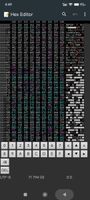
A hexadecimal editor based on the open-source BinEd project.
• Allows you to directly view and edit the bytes of a file.
It can be used for data inspection and, in some cases, help with attempts to recover corrupted files.
📱🔐 SECURITY AND PRIVACY
S File Encryptor brings together encryption, file protection, integrity verification, and privacy tools in a single application.
🛡️ YOUR FILES. YOUR PASSWORD. YOUR CONTROL.
Don't rely solely on where your files are stored. Encrypt your files before storing or sharing them.
Privacy is not a privilege. It is a right.








 Lukes added S-File-Encryptor as alternative to Cryptomator and S.S.E. File Encryptor
 LukeSsnake



No comments or reviews, maybe you want to be first?