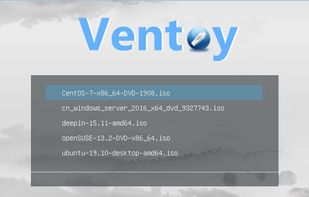
Ventoy is an open source tool to create bootable USB drive for ISO files. With ventoy, you don't need to format the disk again and again, you just need to copy the iso file to the USB drive and boot it.

Rufus is not available for Linux but there are plenty of alternatives that runs on Linux with similar functionality. The best open source Linux alternative is Ventoy. If that doesn't suit you, our users have ranked more than 50 alternatives to Rufus and many of them are open source and available for Linux so hopefully you can find a suitable replacement. Other interesting open source Linux alternatives to Rufus are UNetbootin, balenaEtcher, dd and WoeUSB.
Ventoy is an open source tool to create bootable USB drive for ISO files. With ventoy, you don't need to format the disk again and again, you just need to copy the iso file to the USB drive and boot it.

Cross-platform tool for making bootable USB and Live USB drives, featuring a built-in downloader for Linux ISO images and rescue disks, supporting BSD and various utilities. No installation required, it runs directly and offers compatibility and community support for many distributions.


A free, open-source tool for burning images to USB and SD cards. Compatible with Windows, macOS, and Linux. Features validated burning, avoiding accidental wipes, offers a sleek interface, is lightweight and portable, making it ideal for users at any skill level.


dd, that stands for ‘data duplicator’, is a command-line utility for Unix mainly used for copying and converting data.
WoeUSB is a simple tool that enable you to create your own usb stick windows installer from an iso image or a real DVD. It is a fork of Congelli501 s WinUSB.


MultiBootUSB is a software to create multi boot live Linux on a removable media i.e USB disk. It is similar to UNetbootin but many distros can be installed, provided you have enough space on the disk.


Deepin Boot Maker is a boot maker developed by Deepin Technology Team. It is simple in interface and easy to operate. It helps users to easily make deepin boot disk.


Use Raspberry Pi Imager for an easy way to install Raspberry Pi OS and other operating systems to an SD card ready to use with your Raspberry Pi.


Write an ISO or other image to multiple USB devices all at once. Easily preparing a bunch of flash drives of your favorite OS with just a couple of clicks.


Linux Mint's USB Image Writer (mintstick) is an easy to use and dependable means of creating bootable USBs.


I have over 20 ISOs on one flash drive because of this utility. It's my favorite software for multiboot USBs. Keep in mind, however, that it doesn't work on any Mac hardware.