


Rename from explorer
1 like
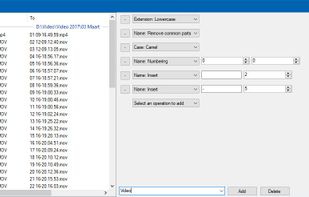
Run Renamer.exe to add a shortcut to the SendTo menu. Then select a set of files to be renamed in Windows Explorer, right click, select SendTo menu, and select Renamer to rename all these files.

Cost / License
- Free
- Open Source
Application type
Platforms
- Windows

Features
Highlights All activities
Rename from explorer News & Activities
Recent activities
No activities found.
Developed by
epraLicensing
Open Source and Free product.Alternatives
50 alternatives listedBadge
Get an embeddable badge for Rename from explorerSupported Languages


No comments or reviews, maybe you want to be first?