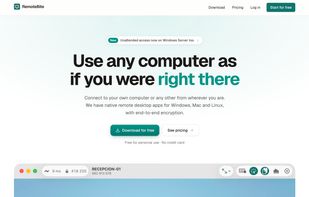
RemoteBite lets you use any computer as if you were right there. Connect to your own Mac or PC, or help someone else with theirs, from wherever you are: no router setup, no open ports, no hassle.
Every computer with RemoteBite gets a 9-digit number. Type it, press Connect, and once the other side accepts, you're in. Your own computers don't even need that: they're one tap away in your list.
FAST AND DIRECT
• Computers connect directly to each other with low latency and smooth, high-resolution video.
• If a direct connection isn't possible, an end-to-end encrypted relay takes over automatically.
• Hardware video encoding on every platform keeps sessions sharp while using little bandwidth.
SECURE BY DESIGN
• End-to-end encryption on every session, including relayed ones: no third party, including us, can see what you send.
• Both computers show the same security code, so you can verify the connection is truly private.
• Whoever is at the other computer decides whether you can control the mouse and keyboard or only watch.
• Short-lived session tokens, two-step verification and per-computer permissions.
UNATTENDED ACCESS
• Get into your computers at any time, without anyone there to approve it.
• Works from the sign-in and lock screens, and on Windows Server.
FULL REMOTE CONTROL
• Mouse, keyboard and shortcuts, just as if you were sitting in front of it.
• Shared clipboard in both directions.
• Ctrl+Alt+Del in one click to unlock a remote Windows PC.
• Switch between the remote computer's screens.
• View modes: fit to window, actual size (pixel for pixel), or resize the window to match the remote screen.
ON IPHONE AND IPAD
• Touch gestures for click, right-click, drag, scroll and pinch to zoom.
• Built-in keyboard with special keys (Esc, Tab, Ctrl, Alt, function keys and more).
• Full support for a hardware keyboard and mouse on iPad.
ALL YOUR COMPUTERS IN ONE PLACE
• Sign in with just your email and a one-time code: no password to remember.
• See which of your computers are online and connect with one click.
• Recent connections always at hand.
• Native apps for Mac, Windows, Linux, iPhone and iPad.
BUILT FOR TEAMS
• Invite colleagues by email and manage every device from one place.
• Each person gets into their own computers, while admins see the whole picture.
• Pay for simultaneous connections, not per person: the whole team shares them.
PRICING
• Free for personal use, no credit card required.
• Pro, Team and Business plans with more simultaneous connections and unlimited saved computers, billed monthly or yearly with 2 months free.
Remote desktop made in Europe. Learn more at remotebite.com.





 EU


 remotebite added Remotebite as alternative to AnyDesk, RealVNC, RustDesk, TeamViewer and 1 more
 Remotebite


No comments or reviews, maybe you want to be first?