


RegistryChangesView
5 likes
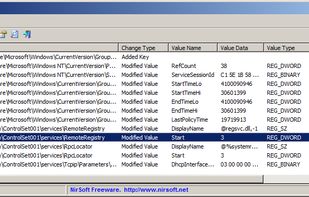
RegistryChangesView is a tool for Windows that allows you to take a snapshot of Windows Registry and later compare it with another Registry snapshots, with the current Registry or with Registry files stored in a shadow copy created by Windows.

Cost / License
- Free
- Proprietary
Platforms
- Windows

Features
Highlights All activities
RegistryChangesView News & Activities
Recent News
No news, maybe you know any news worth sharing?
Share a News Tip
Recent activities
Best registry snapshot save/ compare program I've tried yet. Fast and the saved snapshots are reloadable. Five stars if is open source.
- TBayAreaPat commented on RegistryChangesView
Best registry snapshot save/ compare program I've tried yet. Fast and the saved snapshots are reloadable. Five stars if is open source.
Developed by
 Nir Sofer
 Licensing
Proprietary and Free product.Alternatives
5 alternatives listedBadge
Get an embeddable badge for RegistryChangesViewSupported Languages


CLLong Program Watch
List of "programs" I would like to keep track of, usually because I use them a lot.
Comments and Reviews
Best registry snapshot save/ compare program I've tried yet. Fast and the saved snapshots are reloadable. Five stars if is open source.
Simple snapshot utility that allows you to save registry changes to a .reg file