RecMaster Screen Recorder Alternatives

RecMaster Screen Recorder is described as 'Built with five screen recording modes, RecMaster will offer you an easies and most efficient way to record your computer screen. Just one click from RecMaster, enjoy every moment and details from your computer screen' and is a Screen Recorder in the video & movies category. There are more than 100 alternatives to RecMaster Screen Recorder for a variety of platforms, including Windows, Mac, Linux, Web-based and Google Chrome apps. The best RecMaster Screen Recorder alternative is OBS Studio, which is both free and Open Source. Other great apps like RecMaster Screen Recorder are SimpleScreenRecorder, Bandicam, Camtasia and VokoscreenNG.

Copy a direct link to this comment to your clipboard
RecMaster Screen Recorder alternatives page was last updated

Alternatives list

  1. flowy icon
     5 likes

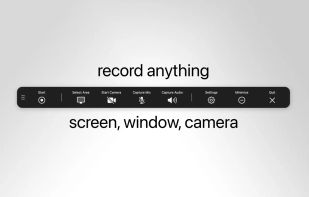
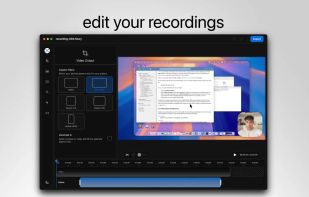
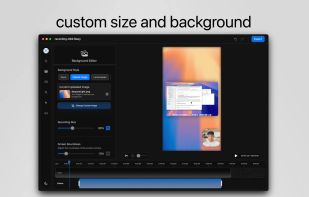
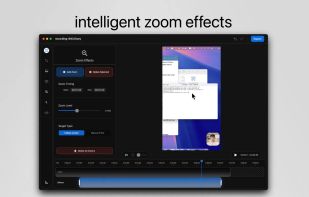
    macOS tool for detailed screen recording, timeline-based video editing, customizable cursor animations, camera and audio capture, background editing, and easy sharing. Suitable for tutorials, presentations, or social media creation with a user-friendly workflow.

    Cost / License

    • Paid
    • Proprietary

    Platforms

    • Mac
     
  2. Loom icon
     34 likes

    Easy and free screen recorder for Mac, Windows, and Chromebooks. Record your camera and screen with audio directly from your Chrome browser and share the video with your team, friends, and family.

    238 Loom alternatives

    Cost / License

    • Freemium
    • Proprietary

    Platforms

    • Mac
    • Windows
    • Online
    • iPhone
    • Google Chrome
    • Android
    • Android Tablet
     
  3. QuickTime Player icon
     135 likes

    Watch Internet video, HD movie trailers, and personal media clips. Whether it’s on the web or on your desktop, QuickTime Player brings your digital media brilliantly to life.

    174 QuickTime Player alternatives

    Cost / License

    • Free
    • Proprietary

    Application type

    Platforms

    • Mac
     
  4. ScreenFlow icon
     71 likes

    Capture the contents of your entire desktop at the same time as your video camera, microphone and computer's audio. Sophisticated editing tools allow you to create incredible screencasts in no time.

    Cost / License

    • Paid
    • Proprietary

    Platforms

    • Mac
     
  5. Wink icon
     57 likes

    Wink is a Tutorial and Presentation creation software, primarily aimed at creating tutorials on how to use software (like a tutor for MS-Word/Excel etc). Using Wink you can capture screenshots, add explanations boxes, buttons, titles etc and generate a highly effective tutorial...

    Cost / License

    • Free
    • Proprietary

    Application type

    Platforms

    • Windows
     
  6. Kazam icon
     64 likes

    Kazam is a simple screen recording program that will capture the content of your screen and record a video file that can be played by any video player that supports VP8/WebM video format.

    114 Kazam alternatives

    Cost / License

    • Free
    • Open Source

    Alerts

    • Discontinued

    Platforms

    • Linux
     
  7. Vibrantsnap icon
     6 likes

    Enhances your storytelling through animated screenshot, add gradient background, images or video. Whether for presentation, social media posts, or engaging content creation, VibrantSnap provides the tools to make your visuals stand out and immersive.

    Cost / License

    • Paid
    • Proprietary

    Platforms

    • Mac
     
  8. recordMyDesktop icon
     73 likes

    recordMyDesktop is a desktop session recorder for GNU / Linux that attemps to be easy to use, yet also effective at it's primary task. As such, the program is separated in two parts; a simple command line tool that performs the basic tasks of capturing and encoding and an...

    Cost / License

    • Free
    • Open Source

    Alerts

    • Discontinued

    Platforms

    • Linux
    • BSD
     
  9. Adobe Captivate icon
     27 likes

    Design eLearning content using Adobe Captivate's tools that offer HTML5 quizzes, simulations, and AI voice narration. Easily convert PowerPoint to HTML5 with SCORM, create responsive designs, and offer customizable immersive experiences for various screen sizes.

    Cost / License

    • Paid
    • Proprietary

    Platforms

    • Mac
    • Windows
     
  10. FlashBack icon
     38 likes

    Free software which lets you record your screen, add a PIP webcam and select multiple options to export your video to. It will first store a lossless proprietary file which you can review frame by frame and then easily experiment with the output options to select best suited.

    Cost / License

    • Freemium
    • Proprietary

    Alerts

    • Discontinued

    Platforms

    • Windows
     
  11. Debut icon
     45 likes

    Debut is a screen capture and video recording software that records videos from your screen, webcam or other video devices.

    140 Debut alternatives

    Cost / License

    • Freemium
    • Proprietary

    Platforms

    • Mac
    • Windows
     
  12. PolyCapture icon
     2 likes

    PolyCapture allows you to record cameras, microphones, screens, and apps — individually or multiple at once.

    Cost / License

    • Freemium
    • Proprietary

    Application type

    Platforms

    • Mac
     
You are at page 2 of RecMaster Screen Recorder alternatives