
RDCManagerX icon
RDCManagerX icon

RDCManagerX

 Like

Native, portable Windows RDP manager for organizing servers in inheritable groups. It imports and saves .rdg files, dynamically resizes remote sessions, and displays tabbed connections in movable split panes, plus Wake-on-LAN, reachability checks and tunnel routing.
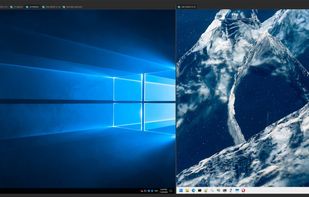
Two panes with live remote sessions next to an Active Directory group

Cost / License

  • Free
  • Open Source (MIT)

Application type

Since

  • New

GitHub

  • GitHub stars: 3

Platforms

  • Windows
0likes
0articles
Save

Features

Features

Highlights All activities

RDCManagerX News & Activities

Recent activities

RDCManagerX information

AlternativeTo Category

Network & Admin

GitHub repository

  •  3 Stars
  •  0 Forks
  •  0 Open Issues
  •   Updated  
View on GitHub
RDCManagerX was added to AlternativeTo by mvanrijnen on and this page was last updated .

No comments or reviews, maybe you want to be first?

What is RDCManagerX?

RDCManagerX is a lightweight, open-source RDP connection manager for Windows, inspired by Microsoft's Sysinternals Remote Desktop Connection Manager (RDCMan). It reads and writes RDCMan .rdg files, so existing setups can be opened right away, and also has its own .rdcx format. Servers are organized in a tree of groups with inheritable settings, and groups can be linked to an Active Directory OU to fill and refresh them automatically.

Remote sessions resize dynamically with the window or pane, and the session area can be split into a grid of panes, each with its own tabs. Sessions can be dragged between panes or moved to a separate window or full screen without reconnecting. It also offers the full set of mstsc experience options per server or group, a "keep session active" option, Wake-on-LAN, and reachability monitoring with ping, TCP and NetBIOS checks.

For connectivity and security, RDCManagerX can route RDP traffic through Tailscale in user space without installing Tailscale or needing admin rights, and has experimental RD Gateway support. Credentials can be kept in an optional encrypted password vault and are never stored in the connection file. It ships as a single portable 64-bit executable with no installer or runtime dependencies, with an English and Dutch interface.