




QuietSpeech
Like
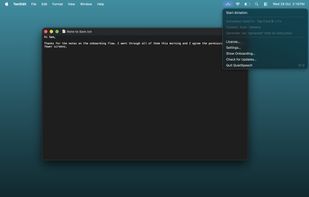
Hold Fn, speak, and the text appears wherever your cursor is, in any app. QuietSpeech uses Apple's speech recognizer and Apple Intelligence, so there is no API key to set up and dictation works offline.

Platforms
- Mac


Features
Highlights All activities
QuietSpeech News & Activities
Recent activities
 znat added QuietSpeech as alternative to ParrotFlow
 Harsh Tomar added QuietSpeech as alternative to Spokenly, VoiceInk, Wispr Flow and Superwhisper
- Harsh Tomar added QuietSpeech

Developed by
 Momentum Apps
Licensing
Open Source (GPL-3.0) and Commercial product.Pricing
One time purchase (perpetual license) that costs $29.Written in
Alternatives
5 alternatives listedBadge
Get an embeddable badge for QuietSpeechSupported Languages


No comments or reviews, maybe you want to be first?