





QuickTranslate
Like
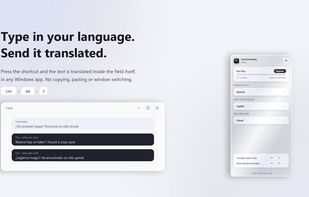
Translate what you type in any Windows app with a keyboard shortcut: the text is replaced with the translation right in the field you are writing in.

Cost / License
- Freemium
- Proprietary
Application type
Platforms
- Windows


Features
QuickTranslate News & Activities
Highlights All activities
Recent activities
- Danilo Venom updated QuickTranslate
- WiTo-ArTe added QuickTranslate
 WiTo-ArTe added QuickTranslate as alternative to DeepL Translator, Microsoft Translator, PopTranslate, QTranslate - Free Translator Software and 2 more
QuickTranslate information
Developed by
WiToArTeLicensing
Proprietary and Freemium product.Pricing
free version with limited functionality.Alternatives
6 alternatives listedBadge
Get an embeddable badge for QuickTranslateSupported Languages


No comments or reviews, maybe you want to be first?