Quick Copy Alternatives
Quick Copy is described as '· You can add any type of clipboard item and copy them directly or redirect to specific app depends of the item type' and is a clipboard manager in the office & productivity category. There are more than 50 alternatives to Quick Copy for a variety of platforms, including Windows, Mac, Linux, iPhone and iPad apps. The best Quick Copy alternative is CopyQ, which is both free and Open Source. Other great apps like Quick Copy are Ditto, Planck, Maccy and FastKeys.
Alternatives list

- 84 Copy'em Paste alternatives
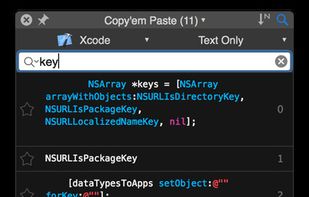
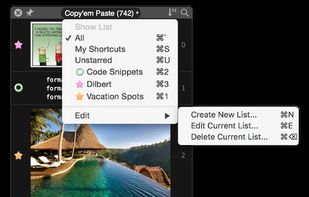
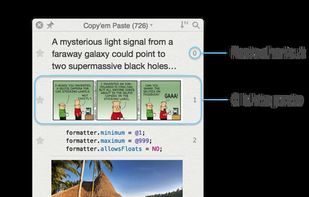
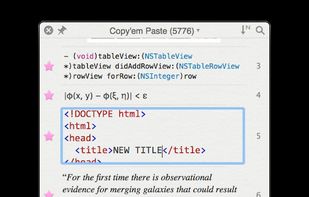
Copy'em Paste lets you collect the things you like by simply copying them! Unlike regular clipboards which can store only one clipping, Copy'em Paste can store as many as you want, without limitation.
Cost / License
- Pay once or Subscription
- Proprietary
Application type
Platforms
- Mac
- iPhone
- iPad

+1
Real-time clipboard to quickly and securely share text, urls, snippets, passwords, etc. between different (mobile) devices


clipboard.ninja is the most popular Self-Hosted alternative to Quick Copy.
- clipboard.ninja is Free and Open Source
Simulates a couple of clipboards. Save your clipboard data automatically. Reuse copied content afterwards as much as you like. Paste your clipboard in any application.


Clip it once, blade it anywhere. Sharpen your productivity with the clipboard manager that also acts as your screen assistant.


- 96 Comfort Clipboard Pro alternatives
Now you don't have to worry that copying one thing will erase something else! It keeps the clipboard history that you can use to paste any selected fragment again. The clipboard contents will be saved, even in the case of Windows crash or power failure.


+1
Clip Cat is a powerful clipboard manager for Windows, it reinvents the way you copy, extend the clipboard by making it your go-to tool for storing and organizing.

- 60 ClipboardHistory alternatives
Mac clipboard history manager inspired by Windows, holding text, images, files, folders, and groups. Customize up to 50 items. Access via shortcuts and command keys. Opens at the bottom right, with a status menu bar icon. Provides comprehensive usage tips.


+3