Pympress icon
Pympress icon

Pympress

 3 likes

Dual-screen PDF reader for presentations written in Python. Show a presentation in one window and additional information in a presenter window.
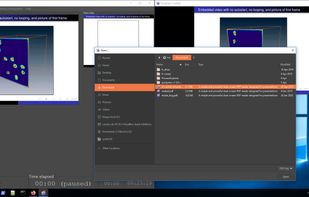
Pympress screenshot 1

Cost / License

Application type

Since

  • Since 2019

Updated

  • Updated Mar 2026

Platforms

  • Mac
  • Windows
  • Linux
3likes
0articles
Save

Features

Properties

Features

Highlights All activities

Pympress News & Activities

Recent activities

Pympress information

AlternativeTo Category

Office & Productivity

GitHub repository

  •  1,692 Stars
  •  119 Forks
  •  64 Open Issues
  •   Updated  
View on GitHub
Pympress was added to AlternativeTo by gues_t on and this page was last updated .

No comments or reviews, maybe you want to be first?

Featured in Lists

My Teaching Toolkit

This list contains my most-used software used for preparing and teaching lessons. My rules for this list? Lightweight, cross-platform, no ads, no AI, FOSS, and whenever possible, text-based.
By Bob26 appsUpdated

Official Links

Install from the command line

  • winget install -e --id Cimbali.pympress

Be careful what you paste into a terminal. Check what a command installs before running it.

What is Pympress?

Pympress is a little PDF reader written in Python using Poppler for PDF rendering and GTK+ for the GUI.

It is designed to be a dual-screen reader used for presentations and public talks, with two displays: the Content window for a projector, and the Presenter window for your laptop. It is portable and has been tested on various Mac, Windows and Linux systems.

It comes with many great features:

  • supports embedded videos
  • text annotations displayed in the presenter window
  • natively supports beamer’s notes on second screen!

Pympress is a free software, distributed under the terms of the GPL license (version 2 or, at your option, any later version).