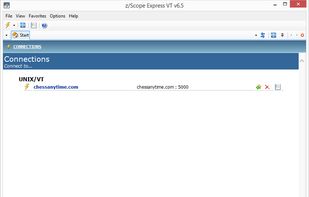
MacTerm (was MacTelnet) on OS X is now a complete replacement for Terminal, allowing access to both local and remote applications.


PuTTY is described as 'Free and open-source terminal emulator supporting SSH, Telnet, and SCP. Portable, lightweight, and works offline to connect to remote systems securely' and is a leading terminal emulator in the os & utilities category. There are more than 100 alternatives to PuTTY for a variety of platforms, including Windows, Mac, Linux, Android and iPhone apps. The best PuTTY alternative is KiTTY, which is both free and Open Source. Other great apps like PuTTY are OpenSSH, MobaXterm, Tabby and Termux.
MacTerm (was MacTelnet) on OS X is now a complete replacement for Terminal, allowing access to both local and remote applications.


CleverTerm is a program to communicate with devices via RS232, RS422 or RS485 by using a serial port.


FireSSH is a free, cross-platform SSH terminal client for Mozilla Firefox. Written entirely in Javascript!

Desktop SSH manager featuring a user-friendly graphical interface, integrated terminal, tabbed sessions, port forwarding, secure credential storage, SCP upload, keypair generation, privacy controls, customizable appearance options, and .ssh/config import support.


PuTTYCS is a small windows application that is intended to be used along with multiple instances of PuTTY (including PuTTYtel, TuTTY, and PieTTY). Its purpose is to send the same command to each PuTTY window.
SSH Proxy can help you turn any remote SSH server into a SOCKS v5 proxy, intuitive and easy to use.


Putty is one of the Best Terminal Emulators available today. It Supports different types of Network Protocols such as SSH, FTP, SCP, Telnet etc. In Windows it is used as SSH Client to connect to Your Linux server or for some other purpose.


AutoPuTTY is a simple connection manager / launcher
· Manage a server list and connect thru PuTTY, WinSCP, Microsoft Terminal Server and VNC (only VNC 3.3 encryption is supported for passwords yet), · Connect to multiple servers at once using the "Enter" key.