


Proof Pocket
1 like
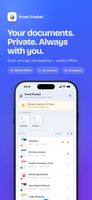
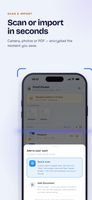
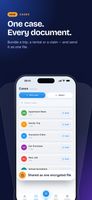
Proof Pocket is an offline-first encrypted document vault for iPhone and Android. Scan or import photos and PDFs, lock files with biometrics or a master password, track expiry dates, and optionally back up your vault to your own iCloud Drive or Google Drive.


+5

Cost / License
- Freemium (Pay once)
- Proprietary
 EU
EUPlatforms
- Android
- iPhone

Features
Highlights All activities
Proof Pocket News & Activities
Recent activities
 fenrirx22 added Proof Pocket as alternative to LastShelf, Truefold, Folio Wallet, Travel Document Vault and 1 more
 fenrirx22 added Proof Pocket as alternative to Ente Locker
- fenrirx22 updated Proof Pocket
- fenrirx22 liked Proof Pocket
- fenrirx22 added Proof Pocket
 fenrirx22 added Proof Pocket as alternative to 1Password and KeePass


Developed by
 Karol Burdzinski
 Licensing
Proprietary and Freemium product.Pricing
One time purchase (perpetual license) ranging between $14 and $34 + free version with limited functionality.Alternatives
8 alternatives listedBadge
Get an embeddable badge for Proof PocketSupported Languages



No comments or reviews, maybe you want to be first?