
ProgressCove icon
ProgressCove icon

ProgressCove

ProgressCove is a calm to-do app for individuals and families where tasks are never marked overdue and progress is counted without red alerts or guilt.
Web App

Cost / License

  • Subscription
  • Proprietary

Platforms

  • Online
  • Android
  • iPhone
0likes
0comments
0articles

Features

  1.  Cloud Sync
  2.  Goal Setting
  3.  Reminders
  4.  Ad-free
  5.  Dark Mode
  6.  Works Offline
  7.  No Tracking
  8.  Subtasks
  9.  Recurring Tasks
  10.  Calendar View
  11.  Multiple Account support
  12.  Goal Tracking
  13.  Team Collaboration

ProgressCove News & Activities

Highlights All activities

Recent activities

ProgressCove information

  • Developed by

    US flagTwenty Shores
  • Licensing

    Proprietary and Commercial product.
  • Pricing

    Subscription ranging between $3 and $5 per month.
  • Alternatives

    9 alternatives listed
  • Supported Languages

    • English
    • Turkish
ProgressCove was added to AlternativeTo by Melih Kulig on and this page was last updated .
No comments or reviews, maybe you want to be first?

What is ProgressCove?

ProgressCove is a task management app built around a simple idea: nothing is ever overdue. When a date passes, a task simply continues as ongoing instead of turning red. Progress is measured by what has been completed, not what is looming.

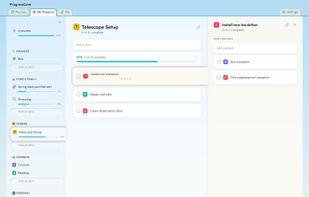
Tasks are organized into life areas, projects, tasks, and subtasks, with progress that fills as items get done. Repeating tasks support two styles: scheduled repeats that quietly roll to the next occurrence (like trash pickup) and completion-based repeats that wait until the work is actually done (like changing an air filter).

It is built for households as well as individuals. Projects can be shared with family members, each person has their own profile, and one subscription covers the whole household. Family profiles work without separate email accounts, which makes them suitable for kids.

Available on Android, iOS, and the web, with sync across devices. Android and iOS apps can work offline: everything works without a connection, and changes sync when you're back online. Data is encrypted at rest and exportable at any time. Includes widgets, reminders, tags, and task dependencies. The 14-day trial unlocks everything with no card required; after that it is a monthly or annual subscription.

Official Links

