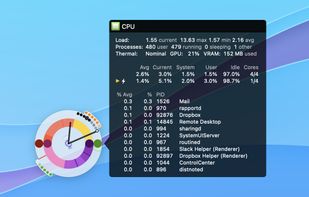
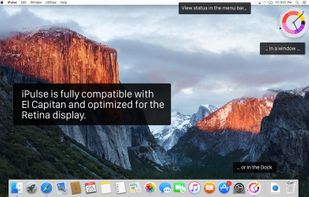
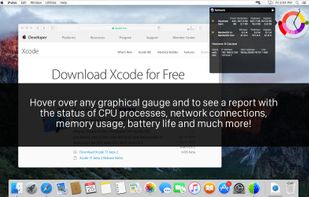
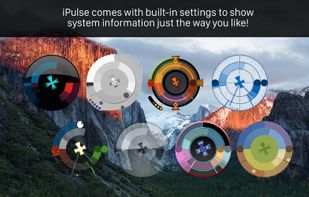
Using its concise and appealing user interface, iPulse graphically displays the inner workings of OS X on your desktop, menu bar or Dock.
Cost / License
- Paid
- Proprietary
Platforms
- Mac



Process Monitor is described as 'Advanced monitoring tool for Windows that shows real-time file system, Registry and process/thread activity. It combines the features of two legacy Sysinternals utilities, Filemon and Regmon, and adds an extensive list of enhancements including rich and' and is a very popular process monitoring tool in the os & utilities category. There are more than 50 alternatives to Process Monitor for a variety of platforms, including Windows, Linux, Mac, BSD and Android apps. The best Process Monitor alternative is Resources, which is both free and Open Source. Other great apps like Process Monitor are Glances, SystemExplorer, Process Lasso and KSysGuard.
Using its concise and appealing user interface, iPulse graphically displays the inner workings of OS X on your desktop, menu bar or Dock.


Lurk allows the user to trace system calls of a process or of a command. In contrast to strace, lurk focuses on a simple, yet pretty, user experience while implementing the most important use cases of strace.

AbpMon is a resizable and dockable toolbar on your desktop for any Windows system ((95, 98, ME, NT 4.0, 2000, WinXP 32 and 64 bit, Server 2003 32 and 64 bit, Vista 32 and 64 bit., Server 2008 32 and 64 bit), Windows 7 and Server 2008 r2 (32 and 64 bit) that graphically shows the...
A Qt based, self-contained (AppImage) tool that mimics the functionality of Windows 10 Task Manager's performance and process tab under Linux. It enables to oversee systemwide CPU, RAM, Disk I/O and Network utilization per device and per process.


Install Monitor provides a better application management platform for Windows. This includes the ability to monitor application resource usage and uninstall completely. It helps to solve the problems of software rot and bloat.


Python System Monitor (Psymon) is a cross-platform, task and performance monitor.


This program will tell you which programs are accessing your hard disk or using your CPU at any given moment. You will be able to determine why your hard drive is in use or what program is sucking up processor time.

pserv.cpl is a Windows Control Panel Applet that
Allows you to -control all NT services and devices -uninstall applications -replace eventviewer -replace task manager -connect to remote machines.


PrcView is a process viewer utility that displays detailed information about processes running under Windows. For each process it displays memory, threads and module usage. For each DLL it shows full path and version information.