
Prism File Explorer (techflyers' fork)
Like
A modern, feature-rich, and lightweight file manager for Android, built entirely with Kotlin and Jetpack Compose.
Features
Properties
- Privacy focused
Features
- No Tracking
Support for LaTeX
- Dark Mode
- No registration required
- Ad-free
- Integrated Search
- Semantic Search
- In built video player
- QR Code Generator
- Join Images
- Integrated PDF Viewer
- Support for FTP
Prism File Explorer (techflyers' fork) News & Activities
Highlights All activities
Recent activities
POX added Prism File Explorer (techflyers' fork) as alternative to Fossify File Manager, Material Files, Amaze File Manager and MiXplorer- hypremacy added Prism File Explorer (techflyers' fork)
- POX updated Prism File Explorer (techflyers' fork)
Prism File Explorer (techflyers' fork) information
No comments or reviews, maybe you want to be first?
What is Prism File Explorer (techflyers' fork)?
A modern, feature-rich, and lightweight file manager for Android, built entirely with Kotlin and Jetpack Compose.
Delivering a seamless file management experience with a beautiful Material Design interface.
Key features:
Modern User Interface & Navigation
- Jetpack Compose & Material 3: Fully declarative, highly responsive, and beautiful layouts with automatic light/dark theme support.
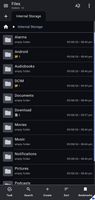
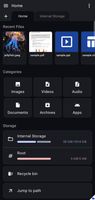
- NFile Navigation Drawer: Quick-navigation sidebar for accessing the Dashboard, System Root, Recycle Bin, and server/network configuration wizard.
- Multi-Tab Layout: Seamlessly open, navigate, and manage multiple folders at once.
- Intuitive Breadcrumbs: Quick hierarchical folder traversal.
Advanced File Management
- Comprehensive Operations: Copy, cut, paste, rename, delete, batch select, and inspect detailed properties of files and folders.
- Interactive Clipboard FAB: An ExtendedFloatingActionButton dynamically shows "Paste here" / "Move here" options for pending clipboard items.
- Intelligent Duplicate Renaming: Same-folder copy operations automatically bypass directory validation and append a (copy) suffix.
- Recycle Bin Restore: Preserves the original file paths by writing a metadata.json sidecar, allowing you to restore deleted files to their exact source.
- Privileged Explorer Mode: Complete root and Shizuku integration to display file sizes, timestamps, and contents count for restricted folders.
Private Wallet (Vault)
- Secure PIN Protection: Set up a custom 4-digit PIN with a haptic-feedback keypad to lock your sensitive files.
- Cryptographic Scrambling: Encrypts and decrypts files using SHA-256 password salting and custom byte XOR-scrambling.
- Seamless Temporary Viewing: Decrypts files temporarily to the cache for inline viewer viewing and automatically scrubs them on exit.
Servers & Remote Connections
- Local FTP Server: Run a background FTP server via a persistent FtpForegroundService with notification-area status controls.
- Web Sharing Portal: Host an offline directory listing server, support chunked/range media streaming for browser viewing, accept remote POST file uploads, and establish secure public tunnels via SSH client port-forwarding to localhost.run.
- Local QR Code Generation: Swapped online sharing APIs for the ZXing library to render secure, local QR codes for Web Sharing URLs without transmitting data.
- Remote Connection Wizard: Configure and save connections for FTP, SFTP (via sshj), WebDAV, and simulated SMB/LAN servers.
- Remote Explorer: Manage remote archives directly, download, upload, create folders, and delete remote files.