




PrintBus
Like
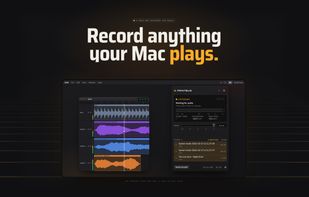
A macOS menu-bar recorder that listens for system audio and automatically starts a take, then trims and saves it as WAV or AIFF after silence. Supported music players provide artist-title filenames; other captures use timestamps. True-peak and LUFS metering.

Cost / License
- Pay once
- Proprietary
Application type
Platforms
- Mac


Features
Highlights All activities
PrintBus News & Activities
Recent activities
 Mauricio B. Holguin added PrintBus as alternative to DOT Audio Recorder, Home Rec, TunesKit Audio Capture, Dipper and 4 more
- Dan Murtagh added PrintBus
- Mauricio B. Holguin updated PrintBus
 Dan Murtagh added PrintBus as alternative to Audio Hijack, Piezo, Sound Siphon, BlackHole Audio Loopback Driver and 2 more


Developed by
 Dan Murtagh
 Licensing
Proprietary and Commercial product.Pricing
One time purchase (perpetual license) that costs $39.Alternatives
14 alternatives listedBadge
Get an embeddable badge for PrintBusSupported Languages


No comments or reviews, maybe you want to be first?