





DOT Audio Recorder
Like
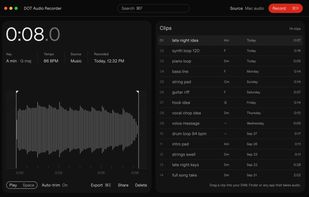
DOT Audio Recorder keeps whatever your Mac is playing. Press Cmd-R while anything plays (a YouTube video, Apple Music, a preset demo, a session) and DOT records it, trims it at both ends and files the clip in a library.

Cost / License
- Pay once
- Proprietary
Application type
Platforms
- Mac


Features
Highlights All activities
DOT Audio Recorder News & Activities
Recent activities
- plasticaudio added DOT Audio Recorder
 plasticaudio added DOT Audio Recorder as alternative to Audio Hijack, Backtrack, Piezo, Sound Siphon and 1 more


Developed by
 Plastic
 Licensing
Proprietary and Commercial product.Pricing
One time purchase (perpetual license) that costs $49.Alternatives
5 alternatives listedBadge
Get an embeddable badge for DOT Audio RecorderSupported Languages


No comments or reviews, maybe you want to be first?