PRIMA Password Case Alternatives
PRIMA Password Case is described as 'A program for the central management of passwords, PINs and PUKS. With this application I have to know only the Windows-Login and the Master-Password for my Password Case' and is a password manager in the security & privacy category. There are more than 100 alternatives to PRIMA Password Case for a variety of platforms, including Mac, Windows, Android, iPhone and Web-based apps. The best PRIMA Password Case alternative is Bitwarden, which is both free and Open Source. Other great apps like PRIMA Password Case are KeePassXC, KeePass, LastPass and 1Password.
Alternatives list

- 141 Clipperz alternatives
Clipperz is an online vault where you can store confidential data without worrying about security. It can be used to save and manage passwords, private notes, burglar alarm codes, credit and debit card details, PINs, software keys, ….

- 154 Sticky Password alternatives
Sticky Password manager and form filler securely stores your passwords, automatically fills in login account fields for programs and websites. This product contains also strong password generator.
Cost / License
- Freemium
- Proprietary
Application type
Platforms
- Mac
- Windows
- Android
- iPhone
- Android Tablet
- iPad
- Kindle Fire
- Microsoft Edge
- Google Chrome
- Mozilla Firefox


+1
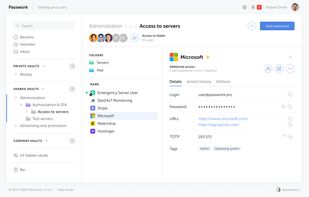
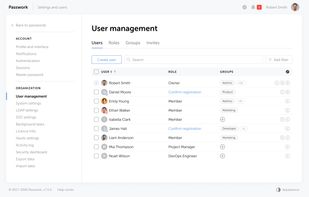
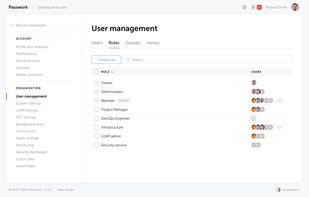
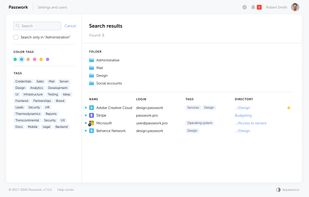
Passwork is an on-premise corporate password manager built for security-conscious organizations. Developed and headquartered in Europe (Barcelona, Spain), Passwork meets GDPR, NIS2, ENS and other European regulatory requirements by design.
Cost / License
- Paid
- Proprietary
Application type
Platforms
- Windows
- Linux
- Online
- Android
- iPhone
- Self-Hosted
- Docker


+5
TeamPass is a Passwords Manager dedicated for managing passwords in a collaborative way by sharing them among team members.

Secretable is a telegram bot for managing passwords and others secrets stored in Google Sheets. Convenient management of your secrets in the messenger. Strong encryption AES256 + PKCS 8 + PBKDF2. Using Google Sheets as storage allows you to track changes, easily make backups...
Cost / License
- Free
- Open Source (Apache-2.0)
Application type
Alerts
- Discontinued
Platforms
- Mac
- Windows
- Linux
- Self-Hosted
SuperGenPass is a different kind of password manager. Instead of storing your passwords on your hard disk or online - where they are vulnerable to theft and data loss - SuperGenPass uses a hash algorithm to transform a master password into unique, complex passwords for the Web...
Cost / License
- Free
- Open Source
Application type
Alerts
- Discontinued
Platforms
- Online
- Android
- Microsoft Edge
- Internet Explorer
- Vivaldi Browser
- Google Chrome
- Safari
- Opera
- Firefox


Powered by KeePass Password Safe, Kee adds free, secure, and easy password-management features to your browser which save time and keep your private data more secure from keyloggers.
Cost / License
- Freemium
- Open Source
Application type
Platforms
- Mac
- Windows
- Linux
- Vivaldi Browser
- Firefox


+1
- 89 KeePassSD alternatives
This project hosts the Windows Mobile ports of the famous Windows PC application "KeePass - The Open-Source Password Safe" from Dominik Reichl (http://keepass.sourceforge.net). KeePassSD on KeePass V2.xx. If you synchronize your password database-file Dat*.
Cost / License
- Free
- Open Source
Application type
Alerts
- Discontinued
Platforms
- Windows Mobile


+6
Cost / License
- Freemium
- Proprietary
Application type
Platforms
- Mac
- Windows
- Android
- iPhone
- Android Tablet
- iPad
- Internet Explorer
- Google Chrome
- Mozilla Firefox
- Microsoft Edge


+3
Password Depot is a powerful and very user-friendly password manager which helps to organize all of your passwords. But also, for instance, information from your credit cards or software licenses.
Cost / License
- Paid
- Proprietary
Application type
Platforms
- Mac
- Windows
- Android
- iPhone
- Google Chrome
- Microsoft Edge
- Mozilla Firefox


+9
KeePass Touch is a password manager compatible with all KeePass Desktop & Mobile applications. So you have your passwords everywhere encrypted accessible.


+2