DeskAngel is an enhancement tool for Windows desktop. It is simple, portable and totally free. It contains following features:
PowerResizer Alternatives
PowerResizer is described as 'Utility that provides many facilities in moving or resizing windows in a Microsoft Windows desktop environment' and is an app in the os & utilities category. There are more than 25 alternatives to PowerResizer for a variety of platforms, including Windows, Linux, BSD, PortableApps.com and File Explorer apps. The best PowerResizer alternative is WindowGrid, which is free. Other great apps like PowerResizer are RBTray, altdrag, GridMove and allSnap.
Alternatives list
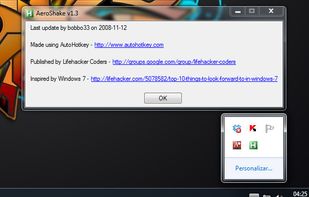
Aero Shake is a new feature for windows 7. It allows you to minimize and restore the windows that are open in your desktop. This awesome and practical trick allows you to focus in the windows that you have chosen.

WinMover is an application for moving windows more comfortable with the the mouse in Microsoft Windows®. It is fully customizable and can mimic the behaviour of many window managers for UNIX and Linux.

Easily manage windows, including automatic alignment and sizing, pinning and unpinning (set on top), shortcuts to stack and view side by side and shortcuts to change size and position.


A small utility which allows you to easily organize your open windows by tiling, resizing and positioning them to make the best use of your desktop real estate. It's easy to configure and supports multiple monitors.

Make Windows in caption bar size and recover again. Version 1.5 available. Version 1.1 download is compromised.

Cost / License
- Paid
- Proprietary
Platforms
- Windows

Splitview is the most popular commercial alternative to PowerResizer.
- Splitview is Paid and Proprietary
Small utility that maximizes user's windows over the entire virtual screen area (that is, all monitors). It registers configurable hotkeys and runs in the traybar.

Maximize Always is a utility that allows the user to start maximized any specified application and keep it maximized.

Automatically control how to display a window.
Features:
- Move, maximize, minimize, restore, enable, disable, hide, show, ontop, bottom, alwaysontop, clip, transparent, transparent color, move relative to another window, stick to the edge of the screen, center, run a program. -.