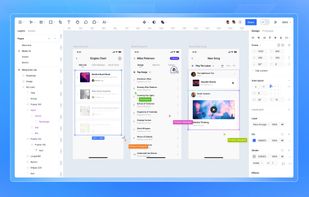
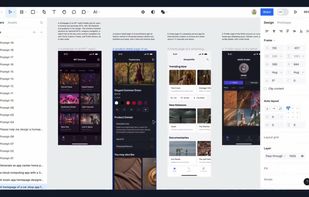
Figurative brings the desktop-class editor experience from Figma to iPadOS—ready to work with a Magic Keyboard, a trackpad, or a mouse.
Cost / License
- Free
- Proprietary
Platforms
- iPad


Play Design is described as 'Play empowers you to design, build and launch better mobile products, in less time, with fewer barriers - all on your mobile device' and is a UI Design tool in the photos & graphics category. There are more than 10 alternatives to Play Design for a variety of platforms, including Mac, Web-based, iPhone, iPad and Windows apps. The best Play Design alternative is Penpot, which is both free and Open Source. Other great apps like Play Design are Figma, Pencil Project, Open Pencil and Sketch.
Figurative brings the desktop-class editor experience from Figma to iPadOS—ready to work with a Magic Keyboard, a trackpad, or a mouse.


Brick.Bytes is the ultimate free Chrome extension and community tool made especially for LEGO enthusiasts, collectors, and AFOLs (Adult Fans of LEGO). Whether you're tracking the latest LEGO news, following new LEGO Technic releases, hunting for Marvel-themed LEGO deals, or...


DevTutor is an application designed to assist developers in creating exceptional apps using SwiftUI. It offers replicable code samples and corresponding UI previews to streamline your coding process.


Use Judo’s visual canvas to translate your design into production-ready SwiftUI™ without writing code. Preview different screen sizes, languages and dark mode—then integrate into your existing app, or create a new one from scratch.


Play with native iOS user interface components on iPhone. The key? You’re working with real native UI — not abstractions. What you test is exactly what users experience.