PinClipBoard is described as 'Is one of the best clipboard manager software that enables you to track and record clipboard data for future use. As a universal clipboard manager, you can copy and paste images/text across Android/ios/Mac/Windows/Tablet' and is a clipboard manager in the office & productivity category. There are more than 50 alternatives to PinClipBoard for a variety of platforms, including Windows, Mac, Linux, iPhone and iPad apps. The best PinClipBoard alternative is CopyQ, which is both free and Open Source. Other great apps like PinClipBoard are Ditto, Maccy, FastKeys and Filezo.


Clippo is the ultimate time saver for your daily work. Share and manage clipboards between your devices with no drawbacks. Save text, links and images that you have copied to your clipboard from any app.


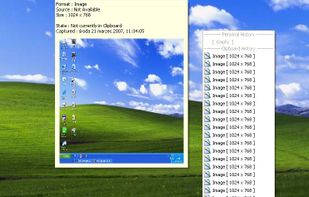
ClipTray is a small taskbar application that maintains a history of all the Clipboard operations. Then you can recover an old or previously copied element and re-use it in your own way.


Copy'em Paste lets you collect the things you like by simply copying them! Unlike regular clipboards which can store only one clipping, Copy'em Paste can store as many as you want, without limitation.


Simulates a couple of clipboards. Save your clipboard data automatically. Reuse copied content afterwards as much as you like. Paste your clipboard in any application.


Easily copy and paste.


Clipboardic is a small utility that listen to the clipboard activity, and each time that you copy something into the clipboard, it automatically save the copied data into Windows clipboard file (.clp). Later, when you need the copied data again, you can simply select the right...

iClip saves the contents of the clipboard every time you copy plain-text, rich-text, images, audio, video, or files.


Fast, reliable multi-clipboard tool. It allows to save text, rtf, html and bitmap formats for future use. Especially useful for software engineers.


Meet Collective. Clipboard history for your Mac. Done right.
Nearly anything you can copy, Collective will remember.
Text, images, PDFs, movies, URLs, appointments, files: Collective keeps track of whatever you copy.
With a simple key combination (?-Shift-V) Collective appears.