TechSmith Capture provides a simple, free way to create basic screenshots and screen recordings and share them with others.
Cost / License
- Free
- Proprietary
Application types
Platforms
- Mac
- Windows


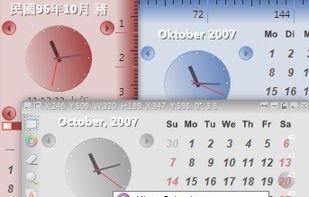
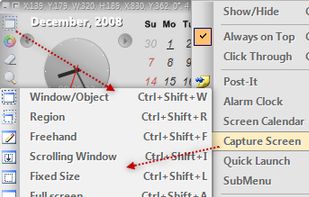
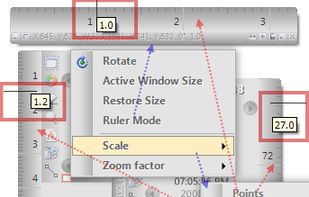
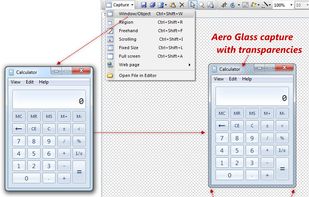
PicPick is described as 'Offers multi-mode screen capture, integrated image editing, color selection tools, on-screen measuring utilities, hotkeys, sharing options, and a simple interface' and is a very popular screenshot capture tool in the photos & graphics category. There are more than 100 alternatives to PicPick for a variety of platforms, including Windows, Mac, Web-based, Linux and Google Chrome apps. The best PicPick alternative is ShareX, which is both free and Open Source. Other great apps like PicPick are Greenshot, Flameshot, Ksnip and FastStone Capture.
TechSmith Capture provides a simple, free way to create basic screenshots and screen recordings and share them with others.


Wise Shark Screenshot allows you to create a screenshot of your Android screens.


Wise Shark Screenshot is the most popular Android alternative to PicPick.
Movavi ScreenShot is a screenshot extension for Chrome and Firefox that lets you grab full and partial screen captures as well as save screenshots in multiple formats.


Fast and simple tool for screenshots and drawing with secure Dropbox and imgur support.


The Fenêtre Capture Tool for making professional screenshots and screen recordings. With advanced functions and abilities that other free capture tools don't offer.


FlyScreen is a powerful screenshot manager for iOS. Search your screenshots, copy text and links, organize by tags, and more.


Trickle helps you summarize and organize screenshots, extracting insights for easy search and query. Transform visual chaos into an intelligent archive, allowing you to screenshot anything and effortlessly retrieve and utilize its contents later.


Screen capture in real time and send instantly to any destination: clipboard, file, graphic editor, studio, e-mail, web, Windows Instant Messenger, ICQ, printer/fax.
Snappy is a desktop-capture software for Microsoft Windows that allows to capture the screen of your monitor. Compared to other similar applications, Snappy could be less complete, but my purpose is to keep it as immediate as I can. Try it, and let me know if I'm wrong...


Small utility that can show you coordinates and color of any pixel on your screen in different formats (HEX, HTML, RGB, CMYK, HSV). It's staying on top, displays a color of that pixel under mouse cursor, the program can magnify that zone w/ hotkey.


An open source multi-platform screen capture and recording tool for simple "capture / annotate / share" workflow. Ginj was inspired by Jing (now discontinued), but although there are similarities in the way both tools behave, Ginj is not Jing.

Make a screenshot, add your notes on top and share it instantly. Need to show some action? Record what you do, and share a GIF in a few seconds.