


Apple Photos
Photos is a digital photograph manipulation application developed by Apple, intended to be less complex than its predecessor iPhoto .

Cost / License
- Free
- Proprietary
Application types
Platforms
- Mac
- Online
- iPhone
- iPad


Features
- Facial Recognition
- Geotagged Photos
- Smart Albums
- Hidden Photo Album
- RAW Photo Editors
- Non Destructive Editing
- Color Picker
- Built-in Photo editor
- Raw converter
- 3rd-party filters
Tags
Apple Photos News & Activities
Recent News
- Maoholguin published news article about iOS
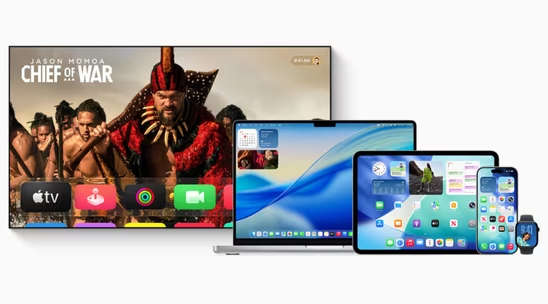
 Apple launches version 26 across iOS, macOS, iPadOS and more with new Liquid Glass design
Apple has officially released iOS 26, macOS 26 Tahoe, iPadOS 26, watchOS 26, tvOS 26, and visionOS ...
- Maoholguin published news article about iOS
 Apple introduces Liquid Glass, a new design language for its ecosystem, based on VisionOS
Apple is officially rolling out a new design language called Liquid Glass across all major platform...
- Maoholguin published news article about Apple Intelligence
 Apple unveils iOS 18.4 and with several new features and languages for Apple Intelligence
Apple has launched its latest software updates: iOS 18.4, iPadOS 18.4, macOS Sequoia 15.4, and visi...


Recent activities
 Aerosol added Apple Photos as alternative to Megatech Photos
 julyx10 added Apple Photos as alternative to Lap
 sganeshe added Apple Photos as alternative to LUMAFORGE
 SpectraSort added Apple Photos as alternative to SpectraSort
 geoyang added Apple Photos as alternative to Kizu
 PLASTICITYLab added Apple Photos as alternative to PhotoCHAT
 jeantest added Apple Photos as alternative to ImageRanger
 fxmumu added Apple Photos as alternative to PicSeek
- bydivadream liked Apple Photos
 POX added Apple Photos as alternative to Imagot


Featured in Lists

Master List of all Apps and Software I use for both work and personal life.

I used many applications (and websites) on my MacBook in 2017. Here are the best ones.
All types of Management Software.
What is Apple Photos?
Photos is a digital photograph manipulation application developed by Apple, intended to be less complex than its predecessor  iPhoto .
Photos are organised by "moment", a combination of time and location metadata attached to the photo. Photos includes editing tools that, while easy-to-use, are more robust than those of iPhoto and "reward curiosity and additional clicks with ever more granular manipulation capabilities". A one-click enhance button is available, making subtle adjustments to pictures automatically. iCloud Photo Library is heavily integrated into the program, keeping photos and videos in sync with various Apple devices designated by the user (such as Macs, iPhones, iPads, and Apple Watches), including edits and album structures. Like its predecessor, Photos includes a number of options for professional printing of photos, which can then optionally be turned into books or calendars and mailed to an address. With Photos, Apple has added new types of prints, including square sizes and the ability to print panoramas.
iPhoto .
Photos are organised by "moment", a combination of time and location metadata attached to the photo. Photos includes editing tools that, while easy-to-use, are more robust than those of iPhoto and "reward curiosity and additional clicks with ever more granular manipulation capabilities". A one-click enhance button is available, making subtle adjustments to pictures automatically. iCloud Photo Library is heavily integrated into the program, keeping photos and videos in sync with various Apple devices designated by the user (such as Macs, iPhones, iPads, and Apple Watches), including edits and album structures. Like its predecessor, Photos includes a number of options for professional printing of photos, which can then optionally be turned into books or calendars and mailed to an address. With Photos, Apple has added new types of prints, including square sizes and the ability to print panoramas.
Apple Photos information
Developed by
 Apple
Apple Licensing
Proprietary and Free product.Rating
Average rating of 1.4Alternatives
122 alternatives listedNews
9 news article related to Apple PhotosSupported Languages
- English


Comments and Reviews
Terrible, ruined iPhotos. Slow. Disorganized. But can make nice photo books easily, and do simple editing of photos easily.
Try getting your photos out of Photos. Try copying them to an external drive. Try to figure out which photos are your masters and which are proxies. I've been using Mac since forever, and this is just the trend for Apple. More control for them, less for you. Photos would be nice if Apple gave a $h!t about what YOU want, instead of just what they want.
Doesn’t scale up well at all. If you have a large library (~20 000 images), trying to delete images crashes photos (same on both the ios and mac os x versions). Latest versions are extremely bugy.
Photos completely messes up photo organization that used to be simple in iPhoto (though wasteful of disk space). All photos are lumped together in a timeline instead of being able to shunt them into events that allow for easy browsing. Also Photos was not reliably importing videos, and would not reliably delete imported photos from the card of my Sony camera. In the end I had to move all my photos from this program onto a Windows machine to organize them properly again, and there was a large amount of duplication, and photos from 2013 being listed as 2017 simply due to download time. Also the "upgrade" from iPhotos to Photos caused this brand new MacBook Pro to run extremely slowly - had to reinstall MacOSSierra as a clean install to undo the mess. Otherwise it is very nice to do simple editing without fear of destroying the original, and it is convenient to be able to create a photo book easily from within the program. But I will be now storing my photos just simply in a directory manually.