PearCinema plays a film and television collection that lives on a computer at home, from anywhere, with no port forwarding, no VPN, no dynamic DNS and no account. The files never leave that machine and are never copied to anybody else's server.
Running a home media server is the easy part. Reaching it from outside the house usually means opening a port, a reverse proxy, a VPN on every phone or paying for a remote-access plan. PearCinema removes that step. You install the host on the machine with the films, scan a QR code with your phone once, and it works at home and away.
The machine does not have to be yours. A library's owner can let a friend or family member in as their own person with their own devices, and cut any device off within seconds, even in the middle of a film. Nobody is handed a password to share.
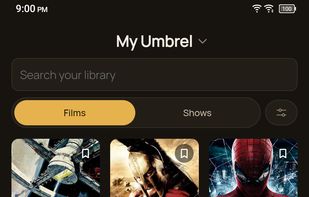
The host reads folders of films and shows, or a Jellyfin or Emby server you already run. It runs on an Umbrel, on any Docker host or as a desktop app on Mac, Windows and Linux. Artwork and summaries come from files beside your media first, and fetching the rest from TMDB is opt-in with your own key.
Each device says what it can play. The host sends a file as it is whenever it can, repackages it when only the container is wrong, and converts it on the machine's graphics chip only when there is no other way. The phone can send a film to a Roku or DLNA television on your network, or to others through Home Assistant, and then acts as the remote. There are subtitles, downloads for offline watching and resume points that follow you between your own devices, and a browser can play the library with no app at all.
Phones connect straight to the host over an encrypted peer-to-peer connection. When the routers at both ends leave no direct path, it falls back to a relay that forwards encrypted data it cannot read, held near 2.5 Mbps, and you can run your own relay instead. Converting needs a graphics chip, as there is no software conversion.







 peerloomllc added PearCinema as alternative to Plex, Infuse, Swiftfin, Findroid and 1 more


No comments or reviews, maybe you want to be first?