
PDFSeal icon
PDFSeal icon

PDFSeal

PDFSeal is an open-source, client-side PDF toolkit designed to solve a critical privacy dilemma: manipulating sensitive documents without uploading them to remote cloud servers.
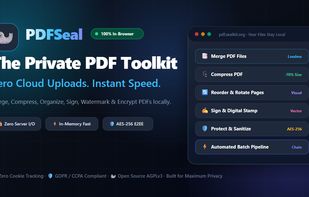
PDFSeal overview: 100% in-browser, client-side PDF toolkit with zero server uploads.

Cost / License

Platforms

  • Online
  • Self-Hosted
  • Docker
1like
0articles

Features

Properties

  1.  Privacy focused

Features

  1.  No Tracking
  2.  PDF Redaction
  3.  Client-side
  4.  Progressive Web App

PDFSeal News & Activities

Highlights All activities

Recent activities

PDFSeal information

AlternativeTo Category

Office & Productivity

GitHub repository

  •  1 Stars
  •  0 Forks
  •  0 Open Issues
  •   Updated  
View on GitHub
PDFSeal was added to AlternativeTo by muffincodes27 on and this page was last updated .
No comments or reviews, maybe you want to be first?

Official Links

What is PDFSeal?

PDFSeal is an open-source, client-side PDF toolkit designed to solve a critical privacy dilemma: manipulating sensitive documents without uploading them to remote cloud servers.

Unlike traditional online PDF utilities that stage documents on remote backend clusters, PDFSeal executes all operations entirely inside the browser's local memory using WebAssembly and client-side JavaScript (pdf-lib and pdf.js). Once loaded, it operates completely offline as a Progressive Web App (PWA) with zero network calls.

Key Features:

  • Redact Sensitive Content: True Stream Redaction with physical byte-level deletion of show-text operators from PDF content streams (and raster-burns image pages). Features smart PII rule detection (SSN, emails, phone numbers, bank cards, dates), visual bounding box drawing with auto-snap to text, and automated re-parsing verification to guarantee zero extractable text residue before export.
  • Scrub Forensic Metadata: Deep audit and permanent scrubbing of Document Info dictionaries, XMP streams, PieceInfo application data, GPS exif coordinates, timestamps, and embedded thumbnail caches.
  • Merge & Split: Combine multiple PDF files or extract selected page ranges with visual thumbnail navigation and multi-mode bursting.
  • Intelligent Compression: Multi-stage adaptive optimization with bytecode operator inspection and dynamic bisection target-size convergence.
  • Client-Side Cryptography: AES-256 document encryption and decryption with standard 32-bit permission bitmask enforcement (disabling printing, copying, or modifications).
  • High-DPI PDF to Image: Convert PDF pages to 150/300 DPI JPEG/PNG images with sequential memory management and streaming ZIP download.
  • Visual Batch Pipeline: Chain multiple operations together (e.g., Scrub Metadata -> Add Watermark -> Compress) and process documents in a single in-memory pass.
  • Organization & Annotation: Drag-and-drop page reordering, rotation, digital signatures with background shadow removal, and customizable protective watermarks.

Deployment & Privacy:

  • Zero Telemetry: No analytics, tracking pixels, or third-party cookies.
  • Truly Air-Gapped: Works seamlessly in Airplane Mode or behind restricted enterprise firewalls.
  • Self-Hostable: Available as a static build or a minimal lightweight Nginx Docker container.