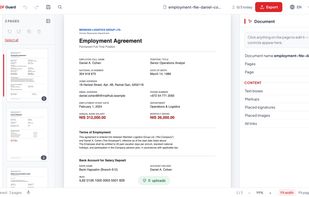
PDF Guard is a PDF editor that runs inside the browser tab and processes documents on your own device instead of uploading them. Files are read from disk into the tab's memory, handled by engines that run locally - pdf.js for rendering, pdf-lib for page rewriting and PDFium compiled to WebAssembly for editing text that already exists in a document - and written back out as a download. Because there is no upload step, the editing tools keep working with the network switched off, and there is no account or sign-up.
The toolkit covers a full document workflow: editing the text already in the file, and adding new text with real embedded fonts rather than a flattened image, plus highlights, pen, shapes, sticky notes, stamps and images; signatures that you draw, type or upload, placed on one page or repeated in the same spot across all pages; merging, splitting, reordering, rotating, extracting and deleting pages; page numbers, headers, watermarks and Bates numbering; find and replace; compression and scan flattening; cleaning of metadata, hidden scripts and attachments; redaction that removes the text and metadata underneath instead of drawing a black box over them; an auto-detect scan that finds national ID numbers, phone numbers, credit cards, email addresses and IP addresses in the text and marks them for redaction once you approve them; PDF to JPG and images to PDF; and Word (.docx) to PDF conversion that also runs on the device. On export nothing is flattened by default - text, fonts, links and the original structure come through as they are - the exported copy can be password-protected, and Pro can add a real cryptographic signature (PAdES) from your own .p12 certificate file, with an optional trusted timestamp. A separate page on the site verifies a signed PDF locally in the browser, for free. The original file on disk is never modified; a new copy is always written.
Right-to-left text such as Hebrew is typed and exported in the correct direction, which is a common failure point in other PDF software. Editing existing Arabic text is still in development. Scanned pages can be read with on-device text recognition (OCR) in eight languages: English, Hebrew, Spanish, French, German, Russian, simplified Chinese and Hindi (not Arabic yet). The recognition engine downloads once and then works offline; the scan itself is never uploaded. One page is free, Pro reads them all and can save the searchable text layer into the file.
The free plan covers the everyday tools, redaction included, with no watermark and a limit of three documents a day. Pro ($29/year or $4.90/month, or a one-time $79 founders price, then $129) removes the daily limit and adds certificate signing, batch processing, version compare and text recognition on every page; it is activated with a licence code emailed after checkout and verified on the device, still without an account. The interface is available in nine languages, and the editor is also available as a Chrome extension.







 GetPdf added PDF Guard as alternative to SumatraPDF, Okular, Foxit PDF Reader, Evince and 47 more


No comments or reviews, maybe you want to be first?