PackageKit is a system designed to make installing and updating software on your computer easier. The primary design goal is to unify all the software graphical tools used in different distributions, and use some of the latest technology like PolicyKit to make the process suck less.
The actual nuts-and-bolts distro tool (yum, apt, conary, etc) is used by PackageKit using compiled and scripted helpers. PackageKit isn't meant to replace these tools, instead providing a common set of abstractions that can be used by standard GUI and text mode package managers.
PackageKit itself is a system activated daemon called packagekitd. Being system activated means that it's only being run when the user is using a text mode or graphical tool, and quits when it's no longer being used. This means we don't delay the boot sequence or session startup and don't consume memory when not being used.
gnome-packagekit is the name of the collection of graphical tools for PackageKit to be used in the GNOME desktop.
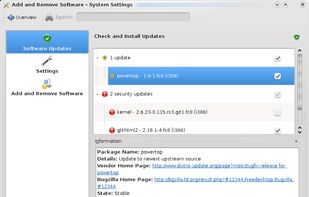
Apper is the name of the KDE graphical tools designed for PackageKit.
Use cases for PackageKit exist for the following scenarios:
- Boot time security updates
- Installing files automatically, e.g. openoffice-clipart
- Installing new features, e.g. smart-card readers
- Allowing unprivileged users to install software in a corporate build
- Opening unknown file formats
- Removing dependencies for files
What PackageKit is not:
- A huge daemon with lots of dependencies.
- 100% API stable. The API may change a little until we ship 1.0.0
- Targeted to a particular architecture or platform.
- Produced by any one vendor. There are many contributors helping to get this done.
Formally, PackageKit is a D-Bus abstraction layer that allows the session user to manage packages in a secure way using a cross-distro, cross-architecture API.




No comments or reviews, maybe you want to be first?