





OwlFocus
1 like
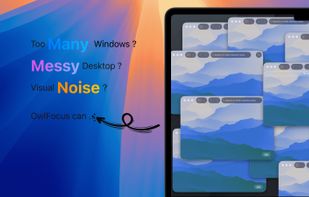
Dim background windows and highlight the active window on Mac. Reduce visual distractions, focus on what matters. Works across multiple displays and spaces.

Cost / License
- Pay once
- Proprietary
Platforms
- Mac


Features
OwlFocus News & Activities
Highlights All activities
Recent activities
- capyapp A comment was removed from OwlFocus
- capyapp liked OwlFocus
- capyapp updated OwlFocus
 capyapp added OwlFocus as alternative to Window Focus
- capyapp added Lightweight as a feature to OwlFocus
- capyapp added Dims background windows as a feature to OwlFocus
- capyapp added Works Offline as a feature to OwlFocus
- capyapp added No Permissions required as a feature to OwlFocus
- capyapp added Distraction-free as a feature to OwlFocus
- capyapp added Privacy focused as a feature to OwlFocus

OwlFocus information
Developed by
 Capyapp
 Licensing
Proprietary and Commercial product.Pricing
One time purchase (perpetual license) ranging between $1 and $2.Alternatives
4 alternatives listedBadge
Get an embeddable badge for OwlFocusSupported Languages


No comments or reviews, maybe you want to be first?