

Orasan
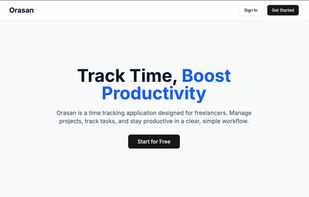
Orasan is a time tracking app for freelancers. The name is Filipino for clock. It helps you run projects and tasks, track time with timers, and—on Pro—turn completed work into invoices with PDF export, so you spend less time reconstructing your week in a spreadsheet.
Cost / License
- Freemium (Subscription)
- Open Source (MIT)
Platforms
- Online
- Self-Hosted
- Software as a Service (SaaS)
Features
Properties
- Privacy focused
Features
- Task Time Tracking
- Ad-free
- No Tracking
- Multi-project management
Orasan News & Activities
Recent activities
- jp-mariano added Orasan
- POX updated Orasan
jp-mariano added Orasan as alternative to Toggl Track, TimeScribe, ManicTime and solidtime
Orasan information
What is Orasan?
Orasan is a time tracking app for freelancers. The name is Filipino for clock. It helps you run projects and tasks, track time with timers, and—on Pro—turn completed work into invoices with PDF export, so you spend less time reconstructing your week in a spreadsheet. Sign in with providers like GitHub and Google; upgrades are handled through a standard checkout and customer portal.
We ship Free and Pro plans. On Free you can use core time tracking; when you have more than two active projects, the newest two stay fully editable and older active projects become read-only (with limited exceptions such as project delete, where your rules allow). Pro adds full project and time-entry writes on allowed projects, plus creating and managing invoices (on Free you can still view invoices and download PDFs in many cases, but not create or change them).
Features
- Time tracking — Start, pause, resume, and stop timers per task; project-level batch pause/stop where available.
- Projects & tasks — Hourly or fixed rates at project and task level, task status (e.g. completed) so you can align time with what you can bill.
- Invoices (Pro) — Create invoices from stopped time on completed tasks in a date range, with preview, line items, tax, status updates, and PDF download.
- Data export — Export projects, time data, and related activity (where the product offers it) for your records or accounting.
- Account & security — Row-level security in the database so, in normal use, you only see your data. In-app privacy and terms pages, plus a path to request account deletion (with appropriate checks if you have an active plan).
Best for
- Freelancers & consultants who bill by the hour or project and need a single place for time and (on Pro) client-ready PDFs.
- Solo and small operations that outgrow ad-hoc timers and want projects, tasks, and rates in one app.
- Anyone who wants a Free way to start tracking time, then upgrade to Pro when invoicing and full project writes matter.
Use cases
- Client work: one project per client (or per engagement), tasks per deliverable, timer on the task you’re doing now.
- Month-end billing (Pro): close out completed work, then issue invoices and PDFs for that period.
- Backups and records: export time and project data for taxes or a spreadsheet.
- Onboarding: create a project, a few tasks, and start a timer in minutes.
Connectivity: Orasan is online-first (sign-in and data need the internet; deeper offline is not part of v1).


