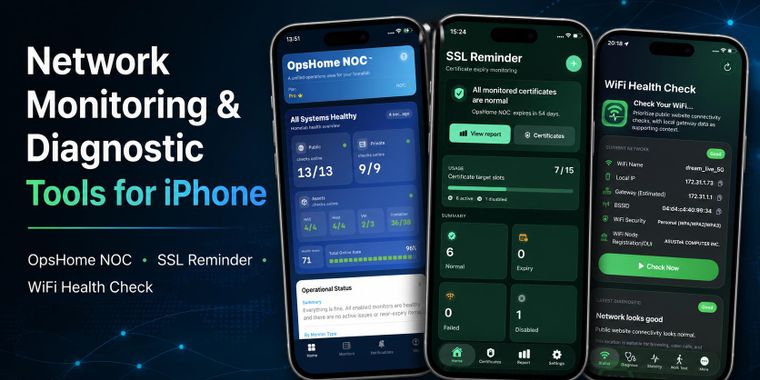
OpsHome NOC is a lightweight iOS monitoring app designed for home servers, NAS devices, self-hosted services, personal websites, indie developers, and tech-oriented households.
It brings together cloud monitoring, Docker Probe private network monitoring, infrastructure asset visibility, and
intelligent alerting in a single iPhone app. More than basic error reporting — it interprets HTTP status codes, SSL
certificate states, and DNS anomalies, and delivers readable explanations with actionable next steps.
Core value:
- Cloud monitoring + Docker Probe private monitoring + asset view + intelligent alerts, all in one iPhone app
- Monitor public websites, APIs, ports, SSL, and DNS, as well as private home network services — without exposing any
internal access
- Synology NAS assets: collect CPU, memory, disk I/O, queue depth, network status, temperature, and container status
via Docker Probe
- Proxmox infrastructure monitoring: connect via public API or private Docker Probe
- Alert deduplication, severity rules, and Do Not Disturb windows to minimize unnecessary interruptions
- Every anomaly includes practical next-step guidance
- Docker Probe: monitor NAS panels, internal Docker services, and home network targets — no port forwarding or reverse
proxy required
- Status pages: share service availability via link or QR code, with access code protection and QR verification
- Free: HTTP/HTTPS, TCP, ICMP Ping, SSL certificate expiry monitoring
- Pro: Docker Probe private monitoring, Synology and Proxmox infrastructure integrations, Telegram alert notification
cards, UDP, DNS, domain expiry monitoring, more monitor targets, shorter check intervals, more status pages
Whether you manage a personal website, home NAS, Proxmox cluster, small SaaS, client project, internal tooling, or
critical domain assets — OpsHome NOC helps you know before problems grow.
Key features:
- Real-time push notifications for alerts and recovery; Pro supports Telegram alert notification cards
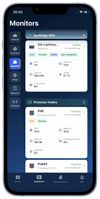
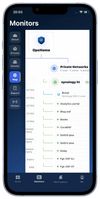
- Assets view: Synology NAS, Docker containers, and Proxmox infrastructure status at a glance
- Synology NAS disk I/O with real-time read/write speeds and queue depth, replacing meaningless cumulative totals
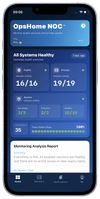
- Dashboard with 24-hour uptime visualization and summary cards
- Cloud and Docker Probe monitors in separate tabs
- Basic and full analysis reports with issue hints, likely causes, and troubleshooting suggestions
- Public status pages with access codes, share expiry settings, and QR verification
- Available in English, Simplified Chinese, and Traditional Chinese
OpsHome NOC is built for practical monitoring anywhere: critical checks, clear alerts, fast visibility, and actionable
guidance for the services you care about.
Legal:
Terms of Use: https://app.opshome.run/terms.html
Privacy Policy: https://app.opshome.run/privacy.html








 opshome added OpsHome NOC as alternative to Uptime Kuma, UptimeRobot, Tianji, StatusCake and 1 more
 OPSHOME



No comments or reviews, maybe you want to be first?