
OnDevice OCR Pro icon

OnDevice OCR Pro

OnDevice OCR Pro lets you automate your text recognition right on your Mac.
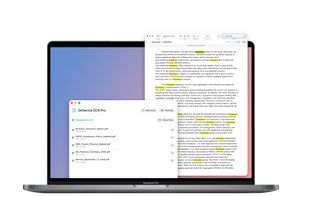
OnDevice OCR Pro recognizes text locally in 13 languages.

Cost / License

  • Freemium (Pay once)
  • Proprietary

Platforms

  • Mac  Requires macOS 14.6 or later. Supports Intel and Apple Silicon
0likes
0comments
0articles

Features

Properties

  1.  Privacy focused

Features

  1.  OCR
  2.  Works Offline
  3.  PDF OCR
  4.  Screenshot OCR
  5. Apple Shortcuts icon  Apple Shortcuts Integration

OnDevice OCR Pro News & Activities

Highlights All activities

Recent activities

OnDevice OCR Pro information

  • Developed by

    DE flagChristian Richard Schroder
  • Licensing

    Proprietary and Freemium product.
  • Pricing

    One time purchase (perpetual license) that costs up to $13 + free version with limited functionality.
  • Alternatives

    7 alternatives listed
  • Supported Languages

    • English
    • Arabic
    • Chinese
    • Dutch
    • French
    • German
    • Italian
    • Japanese
    • Korean
    • Portuguese
    • Russian
    • Spanish
    • Turkish
    • Vietnamese
OnDevice OCR Pro was added to AlternativeTo by chr-rich309 on and this page was last updated .
No comments or reviews, maybe you want to be first?

What is OnDevice OCR Pro?

Features:

  • Privacy by Design: Processing runs locally on your Mac; no data is collected or transmitted.

  • Apple Vision OCR: Uses the native Apple Vision framework for precise text recognition.

  • Folder Monitoring (Hotfolder): Monitors a specified folder and automatically processes newly added documents in the background.

  • Apple Shortcuts Support: Integrates seamlessly with the macOS Shortcuts app to create custom workflows and automations—also controllable via AI agents.

  • Extensive Language Support: Recognizes text in 13 languages, including English, Spanish, French, German, Portuguese, Chinese (Traditional/Simplified), Japanese (Yokogaki), Korean, Vietnamese, Italian, Dutch, Turkish, and Russian.

  • Batch Processing: Effortlessly processes even large volumes of PDFs.

  • Smart Filter: Detects searchable digital PDFs—such as invoices—and skips them if desired.

  • Finder Extension: Allows you to process files directly from the macOS context menu (right-click)—even without opening the main application.

  • Automatic Orientation: Detects the text direction and automatically rotates incorrectly oriented pages.

  • Text Extraction: Allows you to export the recognized text as a plain text file (.txt).

  • Scan Optimization: Improves readability through brightness, contrast, sharpness, shadow reduction, and optional perspective correction for documents photographed at an angle.

Applications:

  • Confidential Data: Suitable for professionals with high security requirements, such as lawyers and doctors.

  • Archiving: Digitization of documents, invoices, and receipts.

  • Research & Education: Fast digitization of literature for students and researchers.

Official Links

