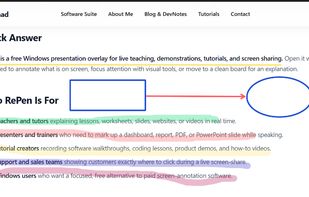
Lightweight Windows annotation tool enabling live drawing, shapes, spotlights, magnification, and click-through overlays, with PDF/image export, portable mode, multi-board backgrounds, and no subscription or registration for seamless presentations.


OmniDazzle is described as 'Set of fun and useful enhancements that help you highlight certain areas of your screen, create special effects, and track the location of your mouse pointer. Each plug-in can be configured to suit your own particular preferences: change colors, make objects' and is an app in the office & productivity category. There are nine alternatives to OmniDazzle for Mac and Windows. The best OmniDazzle alternative is RePen, which is both free and Open Source. Other great apps like OmniDazzle are Epic Pen, Screen Marker and Recorder, ScreenBrush and Presentify - Draw on your screen.
Lightweight Windows annotation tool enabling live drawing, shapes, spotlights, magnification, and click-through overlays, with PDF/image export, portable mode, multi-board backgrounds, and no subscription or registration for seamless presentations.


Turn your desktop into a workspace with Epic pen's intuitive drawing tools, enabling free-hand annotation over any app. Supports Windows platform with lightweight features, offline usability, screenshot capture, and comprehensive hotkey functionalities for seamless interaction.


This app allows you live drawing and taking notes over desktop applications. There are also tools for screen recording and making screenshots. It is great tool for creating presentations, tutorials, manuals, animations, video or streaming.


A macOS menu bar app that helps you give better presentations, online classes, or video tutorials by letting you annotate any screen, highlight your cursor, and more.


FlowInk is a lightweight, free screen annotation (overlay drawing) tool designed specifically for Windows. It lets you draw, write, or scribble directly on top of any open application, desktop, or screen in real time.


Mouseposé is the indispensible mouse pointer highlighting tool (aka "virtual laserpointer") for everyone doing demos at tradeshows, presentations and trainings, or those individuals with huge and high resolution displays.


Stop hunting for your cursor! Modern computers with multiple high resolution displays present us with the "where is my mouse" problem. myPoint solves it using three different techniques - a momentary or permanent mouse locator, a crosshair and a permanent mouse halo. •.


iCursor is a funny and useless app for Mac OS X, it attaches to your cursor pointer a lot of particles. There are many customizable effects and you can also create and share new effects with other users.