
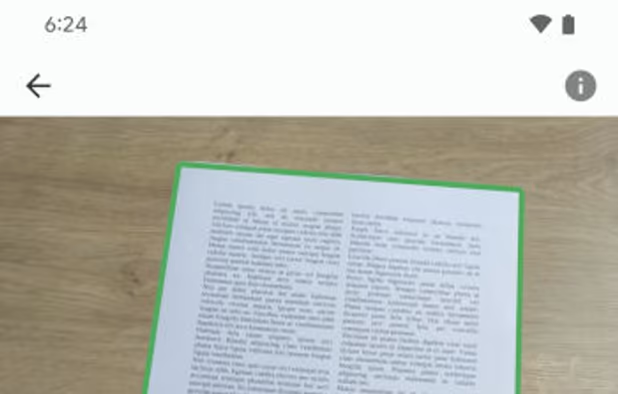
The OSS Document Scanner is an Open Source app to scan all your documents. You either scan using your camera or by importing an image. The app will automatically detect you document within the photo and will crop the image.


There are many alternatives to Microsoft Lens for Android and since it's discontinued a lot of people are looking for a replacement. The best Android Document Scanner alternative is OSS Document Scanner, which is both free and Open Source. If that doesn't suit you, our users have ranked more than 50 alternatives to Microsoft Lens and many of them are Document Scanners available for Android so hopefully you can find a suitable replacement. Other interesting Android Document Scanner alternatives to Microsoft Lens are FairScan, Google Lens, CamScanner and OpenScan.
The OSS Document Scanner is an Open Source app to scan all your documents. You either scan using your camera or by importing an image. The app will automatically detect you document within the photo and will crop the image.


Android document scanner offering multi-page PDF creation, automatic detection, image enhancement, and distraction-free interface, all open-source. No ads, cloud, watermarks, or tracking—scans remain on your device. Minimal permissions ensure privacy and transparency.


Google Lens lets you search what you see, get things done faster, and understand the world around you—using just your camera or a photo.


Your portable scanner. Use your camera to get high quality scans of paper documents, receipts, notes and more. Anytime, anywhere.


OpenScan is an open source app that enables users to scan hardcopies of documents or notes and convert it to PDF or JPEG files. Its motto is "No ads. No data collection. We respect your privacy.".


Genius Scan is a scanner in your pocket. Quickly scan your documents on the go and export them as JPEG or multi-page PDF files.


The free version is in the best Scan app for Androïd I tested. Simple, efficient. No adds just less features
Magic Mode makes scanning multipage documents fast and easy (no need to snap a picture, the app automatically detects the document in the picture). Also, powerful document organization with smart naming and tags. It supports PDF merging too!


The Adobe Scan scanner app turns your device into a powerful portable scanner that recognizes text automatically (OCR) and allows you to save to multiple file formats including PDF and JPEG.


With the Scanbot Document Scanner SDK, companies can easily equip their mobile and web applications with a fast, accurate, and user-friendly mobile document scanner.


Main point of this app is to scan or select existing PDF documents simply using intent or chooser. Other apps require payment to access their api/sdk or simply don't have a possible way to do it. So they rely on switching between an app ,file chooser and a scanner.

This little application provides a way on scanning handwritten notes and printed documents.


Doesn't crash, easy install, easy to use, free, no ads.


ABBYY TextGrabber easily and quickly digitizes fragments of printed text and turns the recognized result into action: call, email, follow links, find on maps, translate into 100+ languages, edit, voice over and share in any convenient way.


can insert multiple photos







