Your MacBook notch, but it's a live Claude Code dashboard.
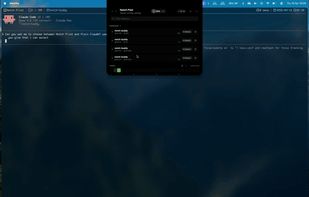
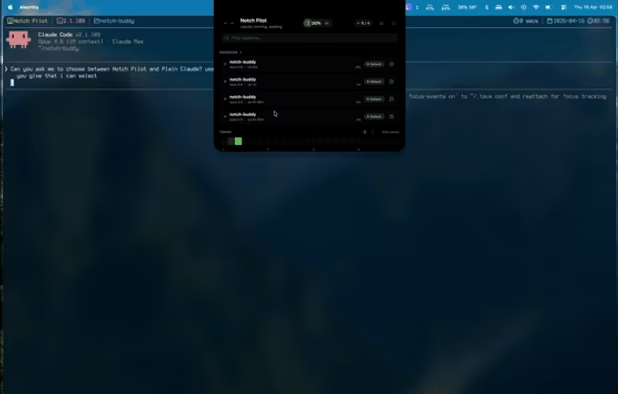
Live usage limits, session status, permission prompts, and an animated buddy — all in the hole you already stare at.
What it actually does:
Live Claude usage, right in the notch
The center of the expanded panel shows your real 5-hour session utilization % — the same number Claude's billing page shows you, not an estimate. Click it for the full breakdown: weekly limits (all models / Sonnet / Opus), extra-credit usage, reset countdowns, and today's input/output/cache token breakdown.
This works because Notch Pilot reads the Claude Code OAuth token the same way Claude Code itself does (via the security CLI) and hits Anthropic's oauth/usage endpoint directly. Nothing ships off your machine.
A buddy that reacts to what Claude is doing
The collapsed pill carries one of six animated buddies — eyes, orb, waves, ghost, cat, bunny — in one of six colors. Each has seven expressions that fire based on what Claude is actually doing:
- Focused (narrow, steady) — editing files
- Active (pulsing) — running a tool
- Curious (darting eyes) — permission request pending
- Shocked (wide-eyed red) — dangerous command detected (rm -rf /, DROP TABLE, sudo rm, fork bombs, etc.)
- Content (happy blinks) — 10-second farewell after activity ends
- Idle / Sleeping — nothing happening
Permission prompts without leaving your editor
When Claude asks for permission to run a command, the notch expands into a structured view of the request. Shell commands get a code block. File edits get a red/green diff. URLs get a parsed host/path split. You get Deny, Allow, and Always allow <Tool> — the "always allow" path writes to ~/.claude/settings.json so Claude Code honors it natively next time.
AskUserQuestion gets the same treatment: each option becomes a clickable button.
See every session at a glance
Hover the notch to see every live Claude session: project name, model, uptime, permission mode. Click a session to see its recent activity — user prompts, tool calls, assistant replies, errors — as a timeline. Click the arrow to jump to the hosting terminal; tmux pane navigation is supported, so it selects the exact pane running Claude before activating Alacritty, Terminal, iTerm, Ghostty, Kitty, WezTerm, Warp, and friends.
Activity heatmap with history
A 24-hour activity strip per day, with ‹ › arrows to walk back through previous days. Hover any cell to see which projects were active in that hour. Useful for noticing when you actually did the work vs when you think you did.
Session finished? The buddy lets you know
When a Claude session wraps, the notch pops out of its hole into a bigger pill with the buddy centered and the project name below — so you can glance up from your editor and see that notch-pilot done without tabbing. Configurable and rate-limited; never interrupts.







 piro0919 added Notch Pilot as alternative to Hawky
 crestnotch added Notch Pilot as alternative to Crest
 piotrjura added Notch Pilot as alternative to AgentNotch
 Said-6940 added Notch Pilot as alternative to Crew Tower
 Alex Rozanski added Notch Pilot as alternative to team.management
 Pivio added Notch Pilot as alternative to Pivio
 Paul added Notch Pilot as alternative to Claudy
 Paul added Notch Pilot as alternative to Pulse for Claude Code, Claude Pulse, Claude-Pulse, ClaudePulse and 4 more


 Ojas Tyagi


No comments or reviews, maybe you want to be first?